
New Features & Enhancements
See our latest platform enhancements and tools designed to help you run and grow your wellness business with ease
Automatic Cancellation for Under-Enrolled Classes
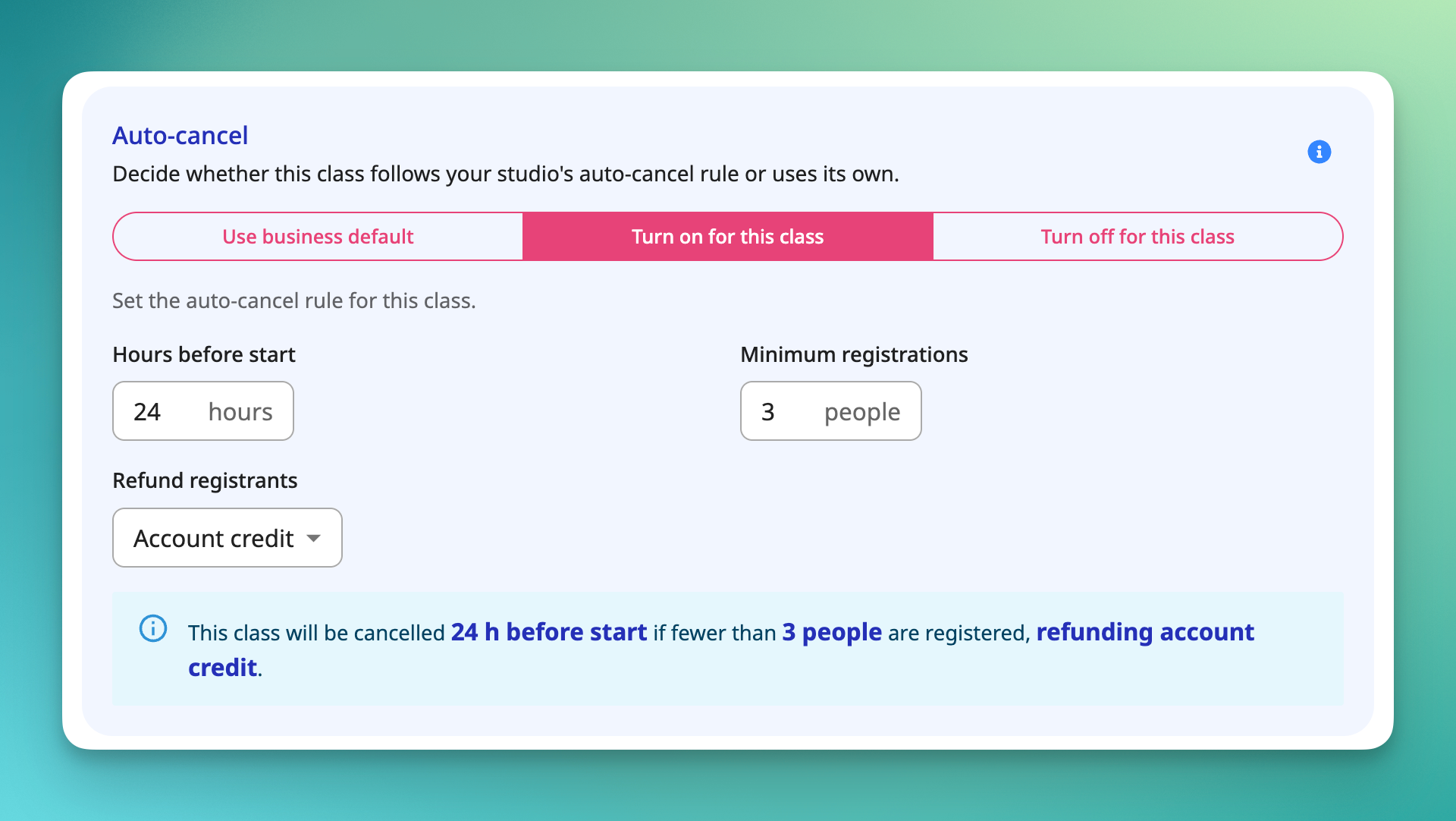
Running a class that only draws one or two people rarely makes sense. But catching a low-enrollment class in time, deciding to cancel it, and messaging everyone affected is a manual scramble businesses often don't catch until it's too late.
Now you can set OT to handle it for you. Choose a minimum enrollment count and a cutoff window for any class (for example, cancel automatically if fewer than 4 clients are registered 12 hours before start). If the class doesn't hit that minimum by the cutoff, OT cancels it and notifies everyone involved. 🗓️ You'll get a heads-up before it happens, so you can step in and keep the class on the books if you want to.
A few details worth knowing:
- You set the minimum enrollment count and cutoff window (hours before class start) individually for each class.
- Before auto-cancel kicks in, the assigned staff member and business owner get an advance alert with the option to override and hold the class.
- Overrides only work before the cutoff. Once the cutoff passes and the class is auto-cancelled, it can't be reinstated.
- If nobody overrides it, the class cancels at the cutoff and notifications go out to the business owner, assigned staff, and all registered clients.
- You choose how refunds are handled, either back to the client's card or as account credit.
- Enrollment is checked once, right at the cutoff. Any changes after that point won't reverse the decision.
Available on Pro Plus and above.
[Read the help article or watch the video]