New Features & Enhancements
See our latest platform enhancements and tools designed to help you run and grow your wellness business with ease
Video Captions & Transcripts
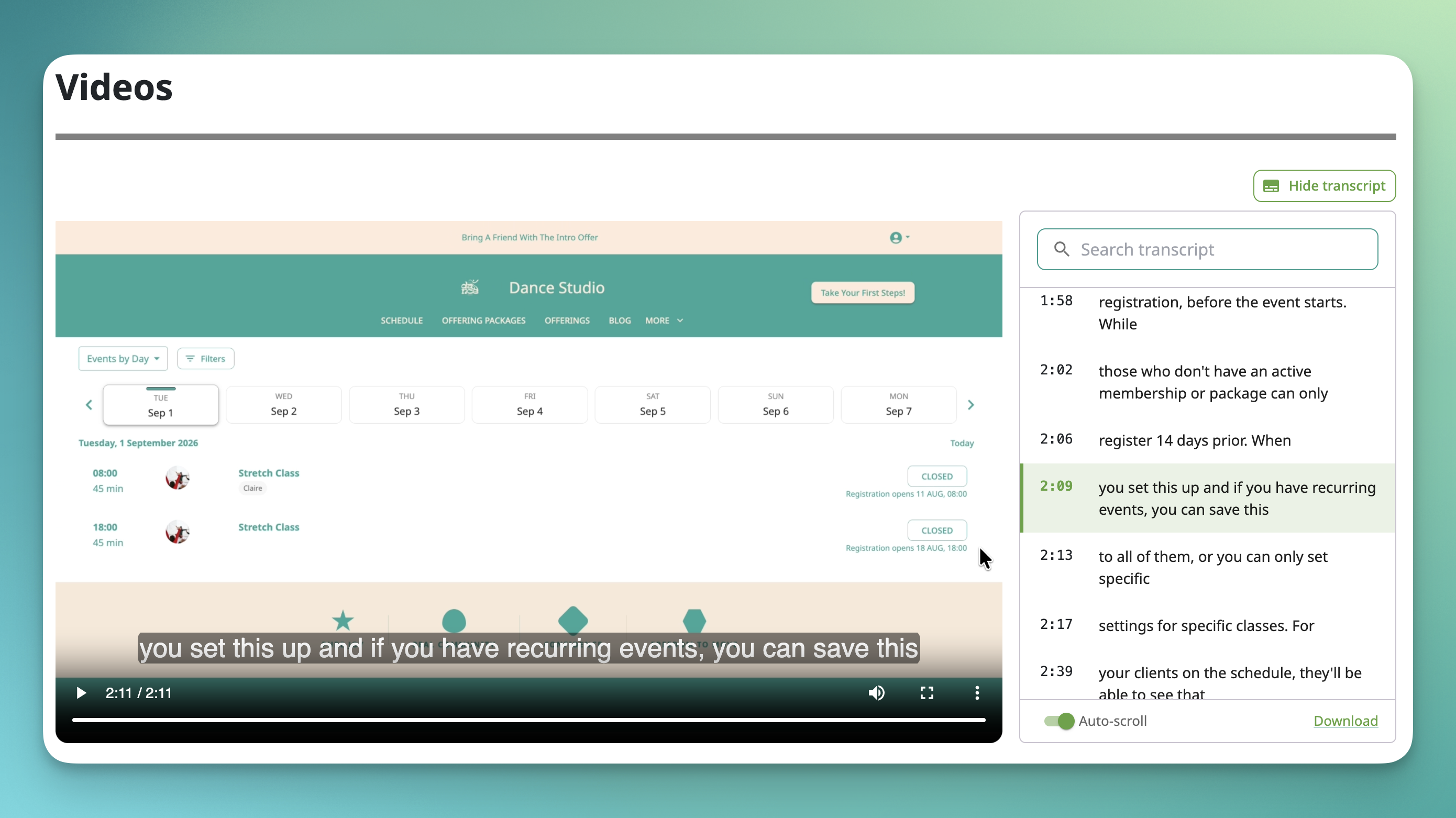
Studios sharing on-demand classes and courses haven't had a built-in way to add captions, which made content harder to follow for deaf and hard-of-hearing clients, non-native English speakers, and anyone watching with the sound off.
Now you can upload a caption file (.vtt) to any video in your store or courses. Clients get a CC toggle right on the player, plus something extra: a scrolling, clickable transcript panel that highlights each line as it plays and lets viewers jump to any point just by clicking the text. 📝
Because captions and the transcript come from the same uploaded file, there's only one file to manage, but two ways for clients to engage with it. Viewers can turn each on or off independently, so someone following along with a yoga flow can keep the full video visible, while someone who'd rather read can rely on the transcript alone.
A few details worth knowing:
- Uploading a caption file is free on every plan. .vtt is the standard caption format, and it's what Zoom exports to.
- The transcript panel is searchable, so viewers can find a specific phrase and jump straight to that moment in the video.
- Viewers can download the transcript as a standalone file.
- AI-generated captions (using Sprout credits, powered by AssemblyAI) are coming in a future release, along with an editor for fixing up auto-generated text, especially handy for Sanskrit terms and pose names. For now, businesses supply their own .vtt file.
Available on all plans: Essentials, Pro, Pro Plus, Studio Starter, Studio Grow, and Studio Max.
[Read the help article or watch the video]