
New Features & Enhancements
See our latest platform enhancements and tools designed to help you run and grow your wellness business with ease
Class Registration Updates with Guests
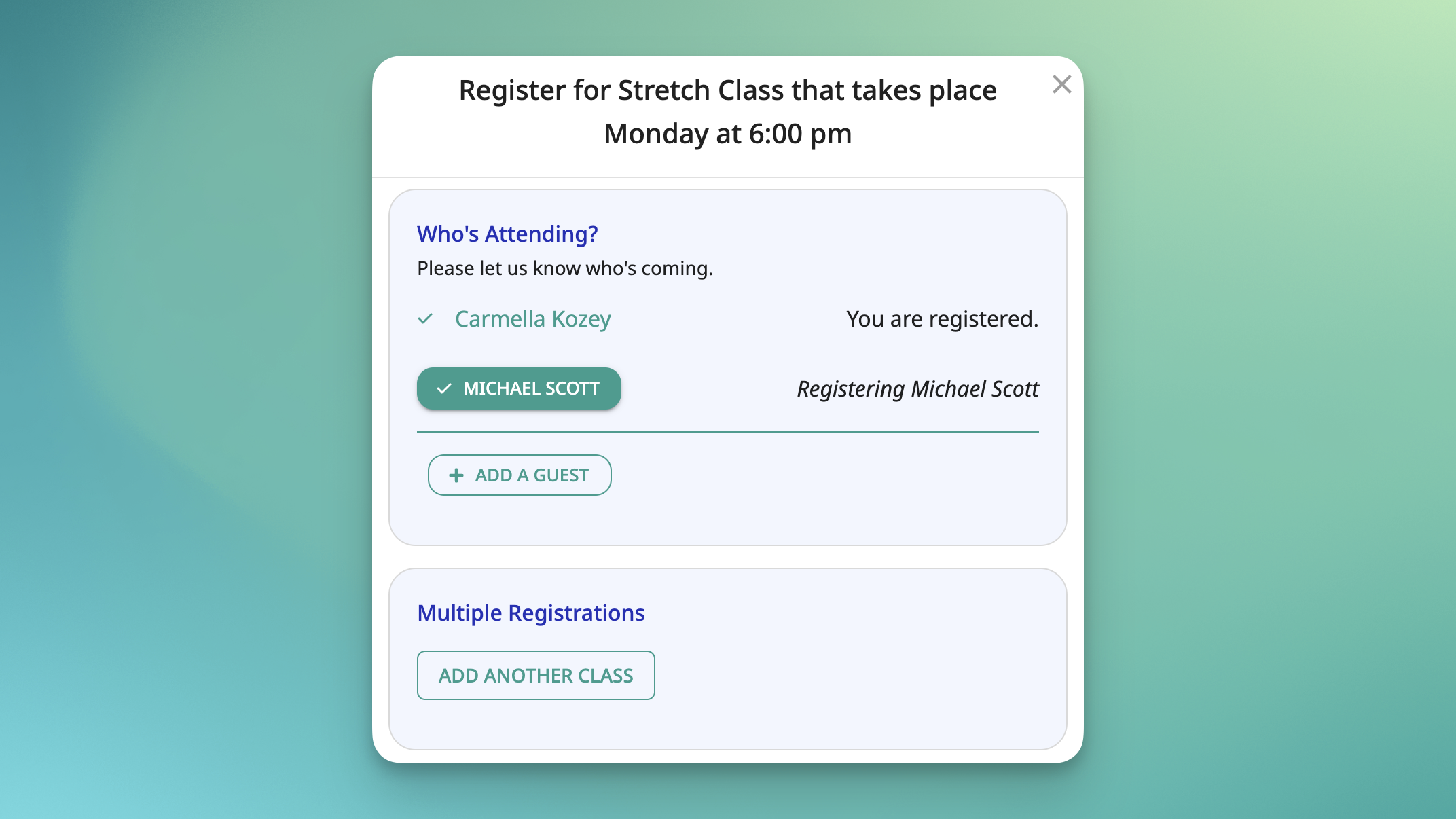
Registering for a class with guests just got a lot less confusing.
Previously, clients returning to add guests had no easy way to tell who was already signed up, which led to second-guessing, duplicate registrations, and a generally frustrating experience. Now, connected profiles that are already registered are clearly indicated right on the registration screen.
Whether someone is signing up for the first time or coming back to add more people, they can see at a glance who's in and who still needs to register.
One thing to note: adding guests across multiple registrations at the same time isn't supported yet, but it's on the roadmap.
Available on Pro, Pro Plus, Studio Grow, and Studio Max.
[Take a look at the Help Article or the Video]
Post Purchase Redirect Page Update
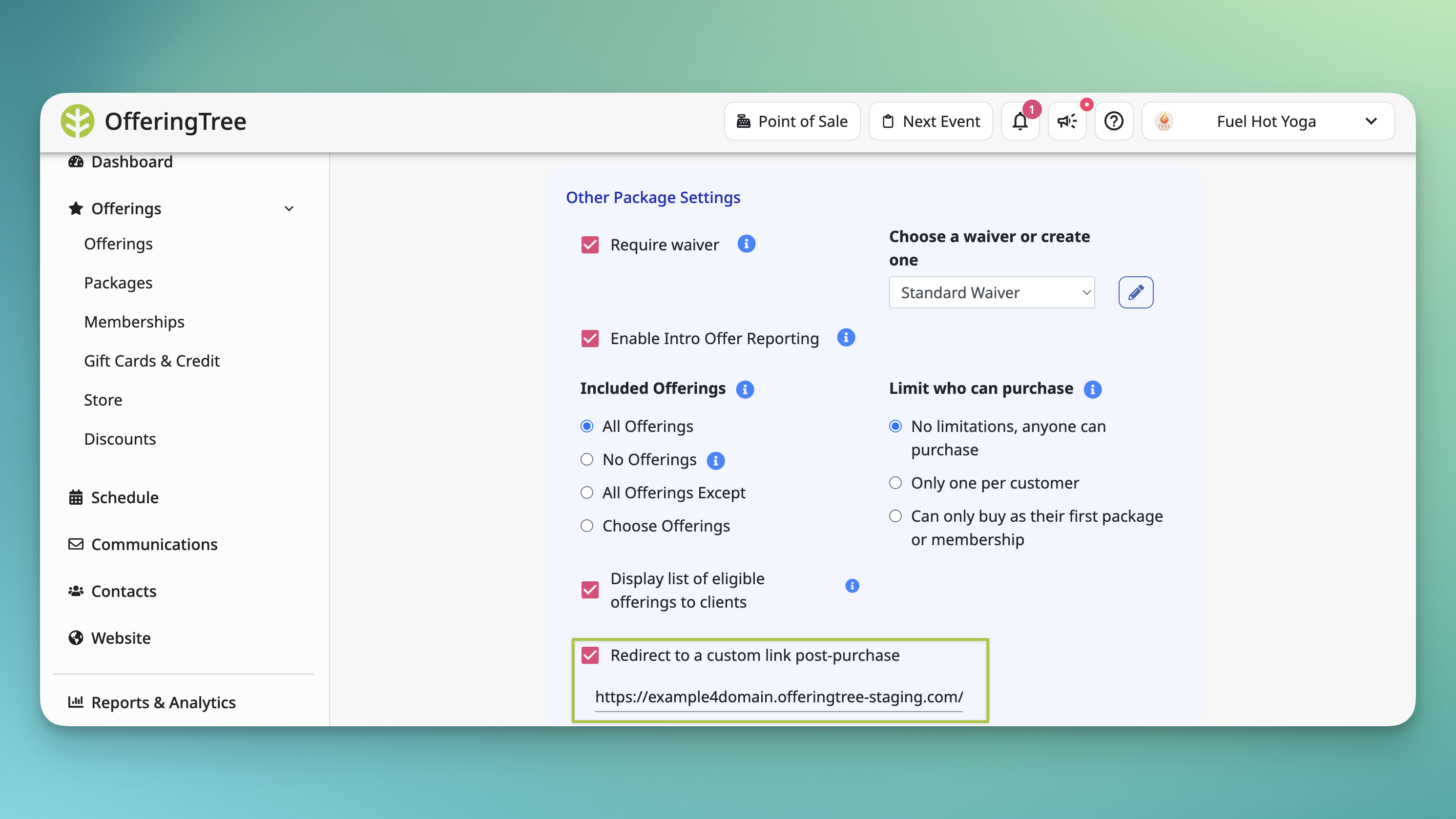
Custom Post-Purchase Redirects for Packages, Memberships & Store Items 🔗
Custom post-purchase redirect pages were already available for events and appointments. Now they work for packages, memberships, and store items too.
After a client completes a purchase, you can send them anywhere you'd like — an onboarding page, a thank-you message, additional resources, a follow-up offer. If you don't set a custom redirect, clients see the default confirmation screen as usual.
Available on all plans.
[Take a look at the Help Article or the Video]
Location Management
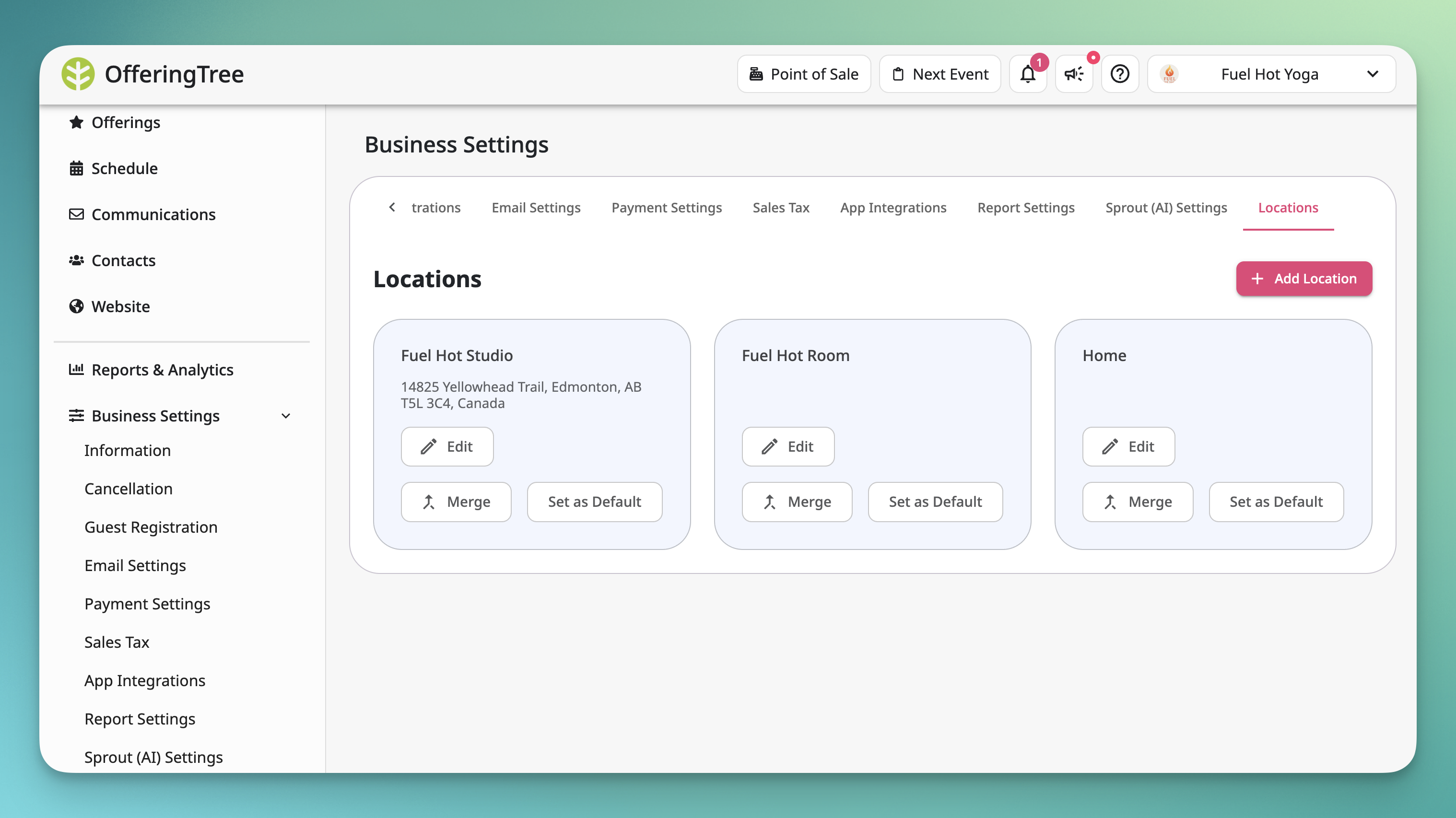
📍 Over time, locations have a way of multiplying — a typo here, a slight variation there, and suddenly you've got five versions of the same address cluttering your class list. The new Location Management page fixes that.
From one centralized view, you can see every saved location, merge duplicates down to a single clean record, and set a default that automatically applies to any new class you create.
A few things worth knowing:
- Merging is permanent. Once two locations are consolidated, it can't be undone.
- Setting a default location applies to new classes only. Existing classes won't be updated automatically.
[Read the help article or watch the video]
Client Lifetime Value Reporting
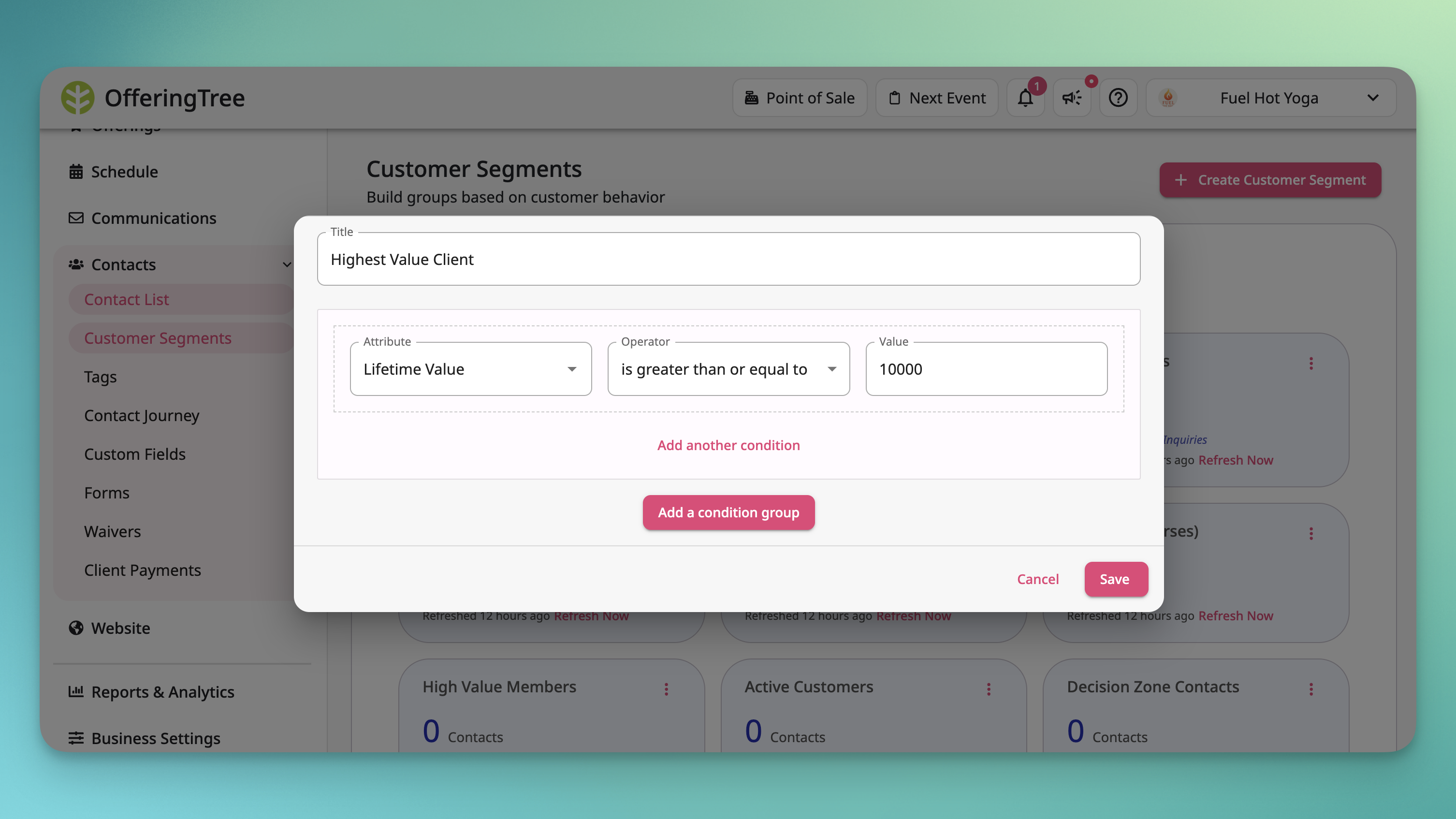
📊 Now you can see exactly how much revenue each client has generated — since day one, or within any time period you define.
This update lets you:
- View total lifetime value per client: directly from their detail page, no digging required.
- Run LTV and spend reports: to see who your top clients are and spot anyone whose spending has dropped off.
- Build smarter segments: using LTV or spend as conditions so that you can target your best clients or re-engage the ones going quiet.
- Trigger automations based on spend: for example, send a message automatically when a client hits a certain threshold.
Staff Pay Rate Overrides for Appointments
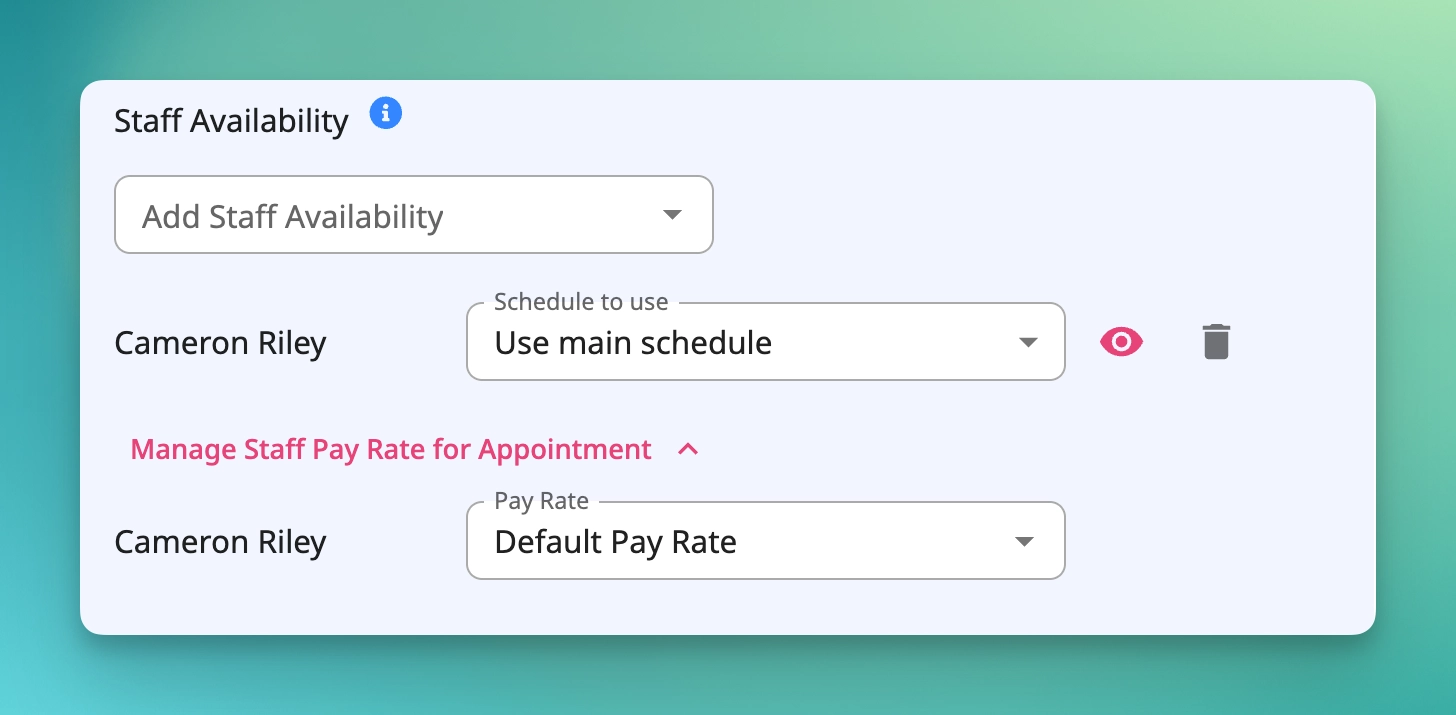
💰 Pay rate overrides were already available for events and event series — now they work for appointments, too.
This update lets you:
- Set custom pay rates per appointment type: different offerings can pay out at different rates.
- Override defaults with precision: a staff member can earn their standard rate for private sessions and a higher rate for premium offerings. You also can now set “No Pay” options for certain appointments.
Available on all Studio plans that include staff management.
[Check out the help article or watch the video]
Admin Navigation Redesign
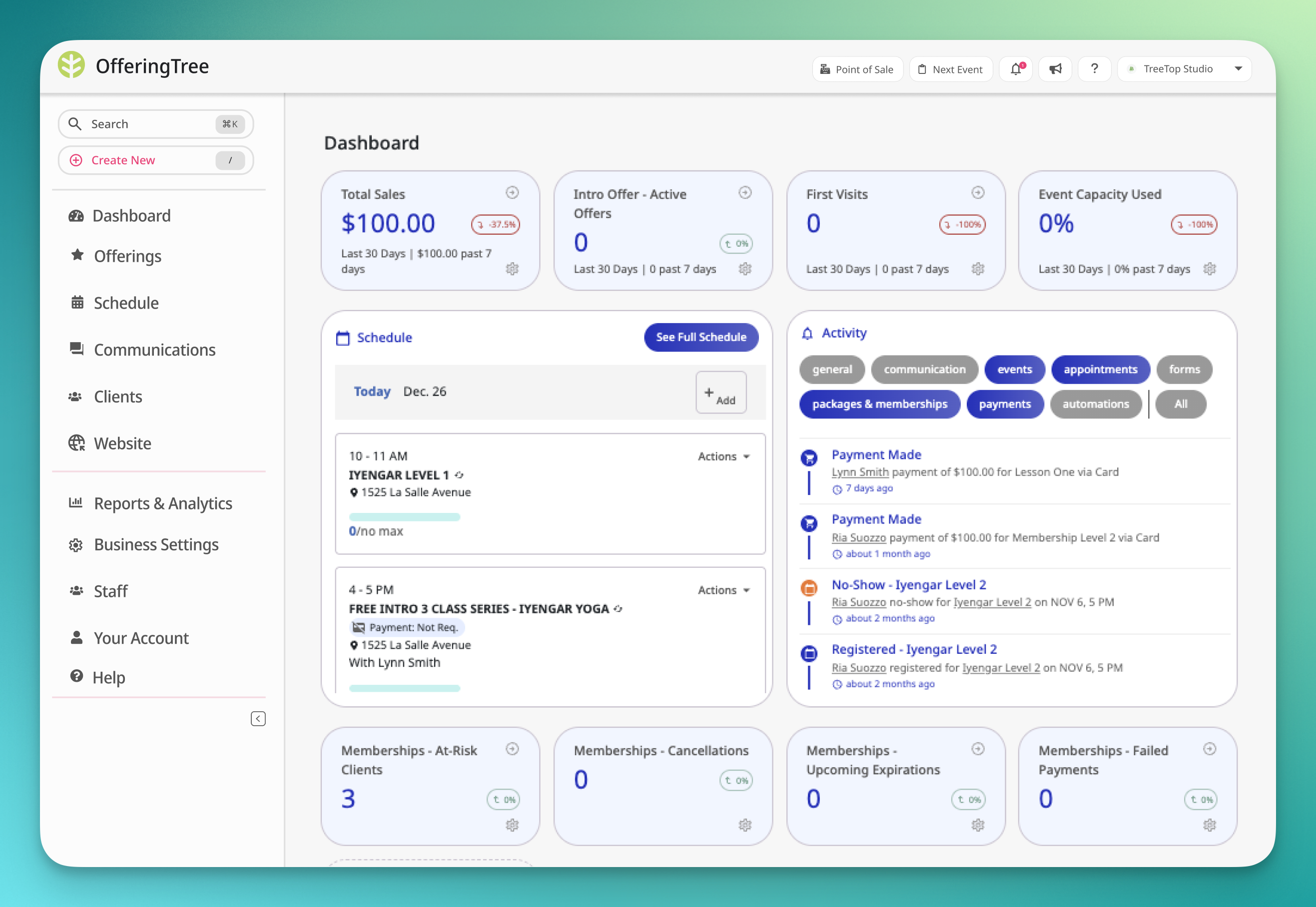
The Admin Dashboard navigation has been redesigned with a cleaner, more organized layout.
Key tools are now more accessible upfront, and a new search bar makes it easy to find any page or setting you're looking for, as well as search for clients.
A "Create New" button gives you a quick way to create new things without needing to navigate deep into other pages. Navigation is also streamlined into collapsible left-hand categories, keeping the workspace tidy without losing access to any features.
We highly recommend reviewing the video before the update so you know what will be changing!
Email Messages Update
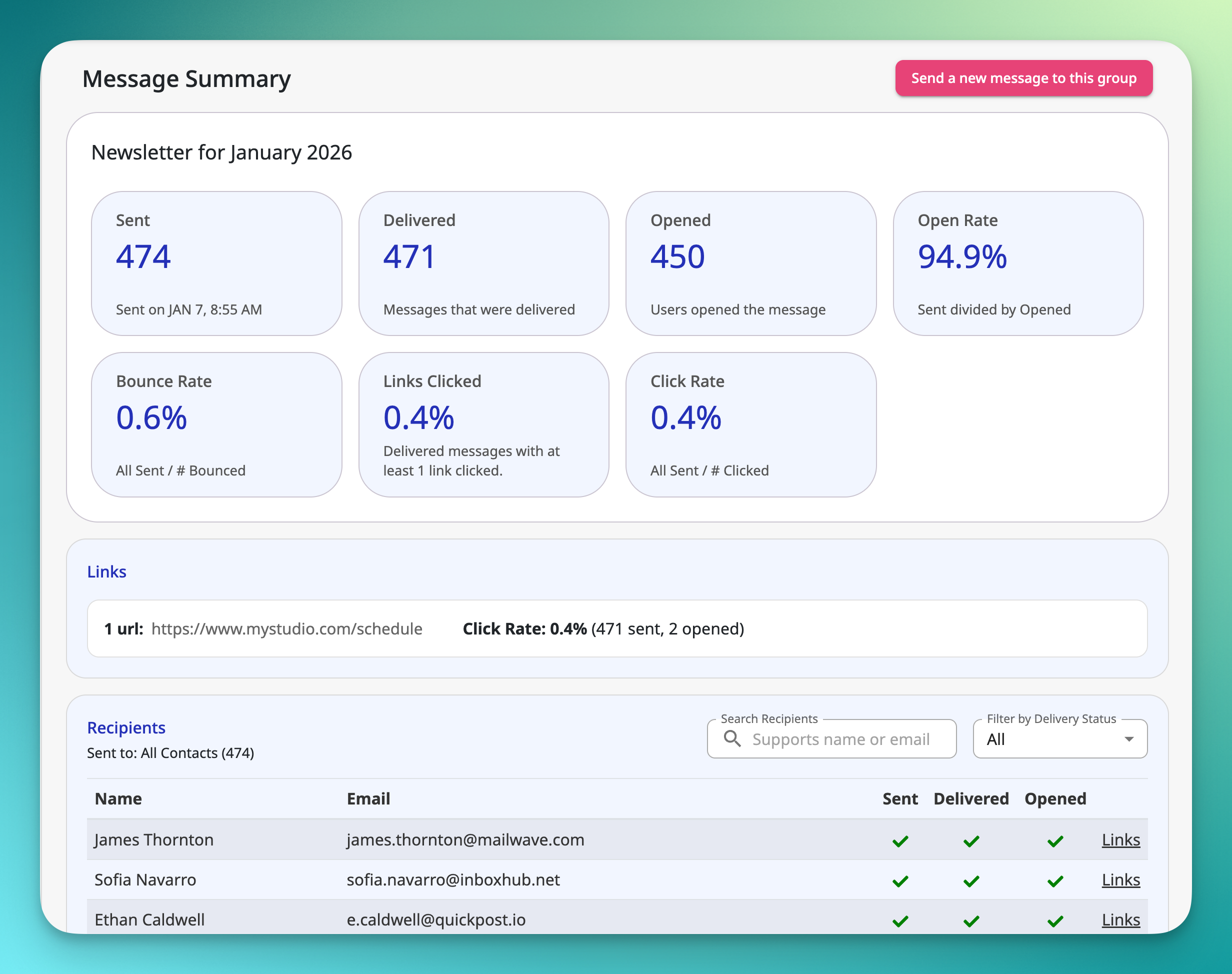
Your Emails, All in One Place
We rebuilt the Email Messages page from the ground up. All your emails — automated, one-off, everything — now live in a single unified list with expanded stats, including click tracking.
If you were using the old Drip Emails, those have been automatically migrated into automations, with one bonus automation added to your quota. No action needed on your end.
We highly recommend reviewing the video before the update so you know what will be changing!
[Check out the help article or watch the video]
Custom Pages Updates
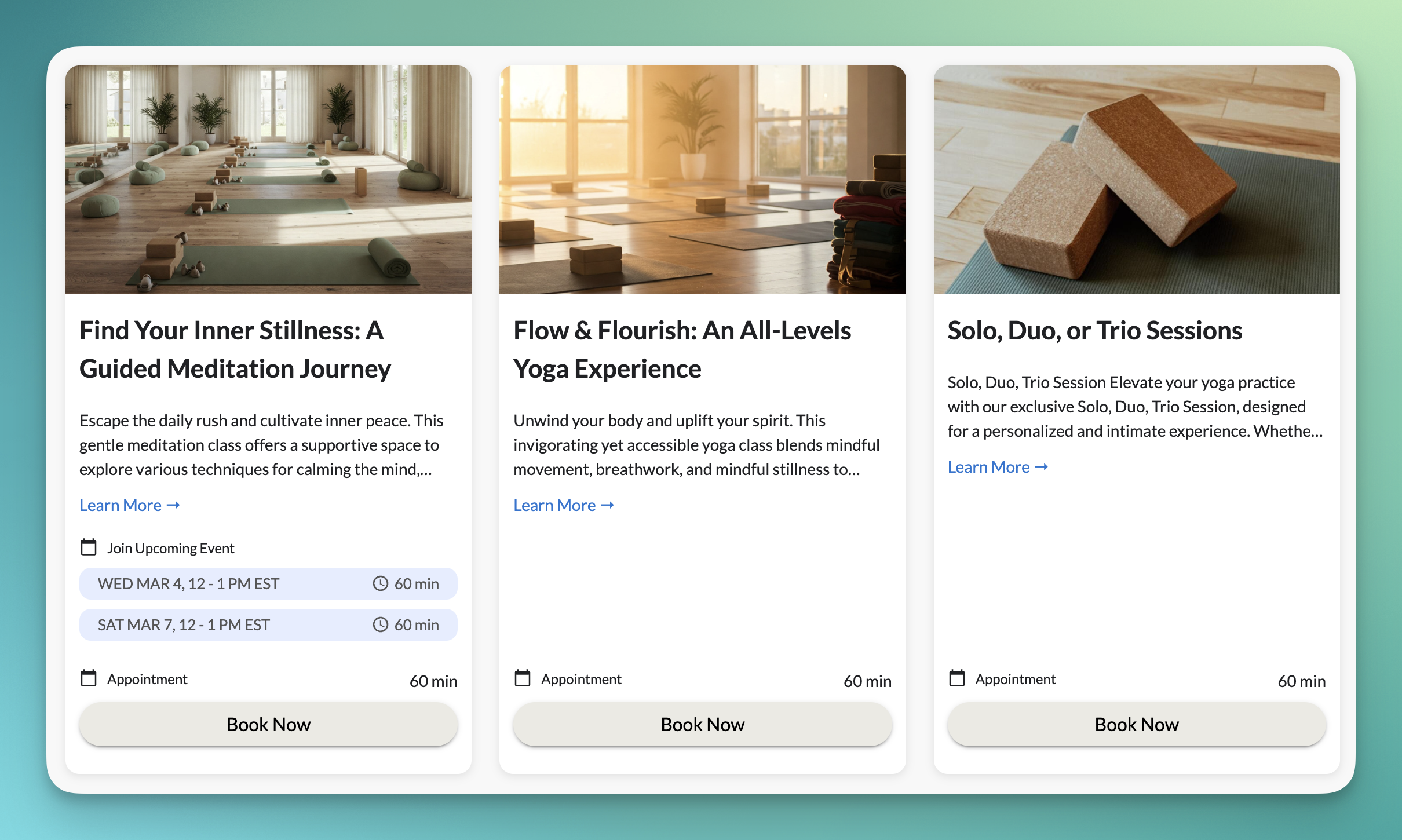
Build Pages Faster
A few quality-of-life upgrades to Custom Pages:
✅ Browsing and previewing sections is now way easier, so you spend less time hunting for the right layout.
✅ Navigation menus now support up to four levels deep (previously two), giving you more flexibility if your site has a lot to organize.
✅ We refreshed the look of public offerings, packages, and membership cards.
✅ AND, we added the option to hide which specific offerings are included in a package or membership, so your pages stay clean and focused.
Staff Permissions Updates
More Control Over Who Can Do What
Three new staff permissions just dropped: you can now grant (or restrict) access to create and edit client notes, edit custom field values, and cancel events.
Handy when you want your team handling day-to-day tasks without worrying about someone accidentally wiping out a workshop.