
New Features & Enhancements
See our latest platform enhancements and tools designed to help you run and grow your wellness business with ease
Point of Sale and Gift Card Updates
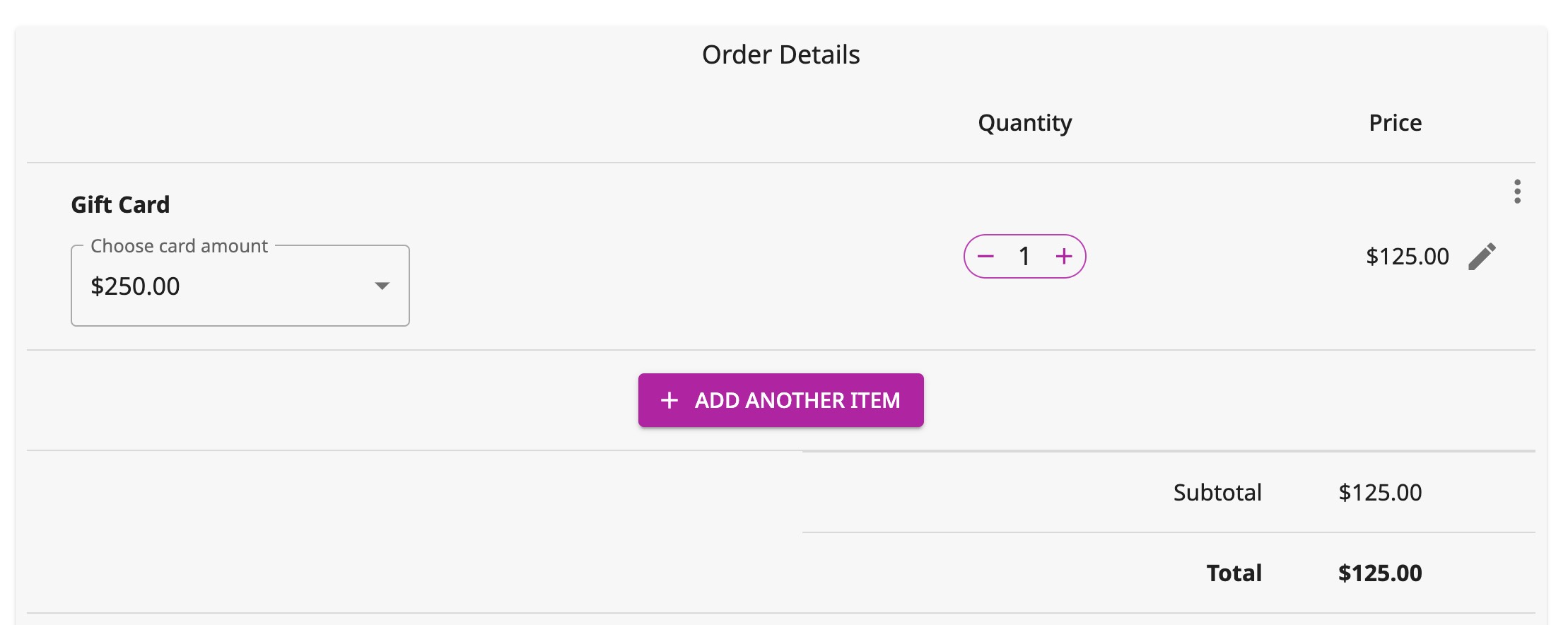
Offering discounted or complimentary gift cards is now easier! The Point of Sale system now lets you set a gift card's value and charge a different amount, giving you greater flexibility.
How does this impact your business? Here is an example:
Samantha owns a boutique fitness studio. She loves offering gift cards as a way to attract new clients and encourage existing members to share their love for the studio.
However, before this update, she had limited flexibility in running promotions—gift cards always had to be sold at face value.
How Samantha Uses the New Update:
Holiday Gift Card Promo
- Samantha wants to boost holiday sales by running a “Buy a $100 Gift Card for Only $80” promotion.
- With the new update, she sets the gift card’s value at $100 but only charges the customer $80, making the deal easy to manage at checkout.
- The promotion attracts more buyers, increases studio revenue, and brings in new clients who redeem the gift cards.
Loyalty Rewards & Referral Bonuses
- Samantha wants to thank her most loyal clients and encourage referrals by gifting complimentary gift cards.
- Now, she can issue a $50 gift card for $0 as a reward for clients who refer a friend or reach a milestone in their membership.
Flexible Pricing for Special Events
- Samantha collaborates with a local spa for a wellness retreat package.
- As part of the partnership, she wants to offer retreat participants a $30 gift card for only $20 to encourage them to try a class at her studio.
- This flexibility allows her to attract new clients without manually tracking discounts.
With the ability to sell gift cards at a discount or give them away as incentives, you can attract new clients, boost retention, and drive more revenue—all while keeping things simple at checkout.
Page Builder Updates
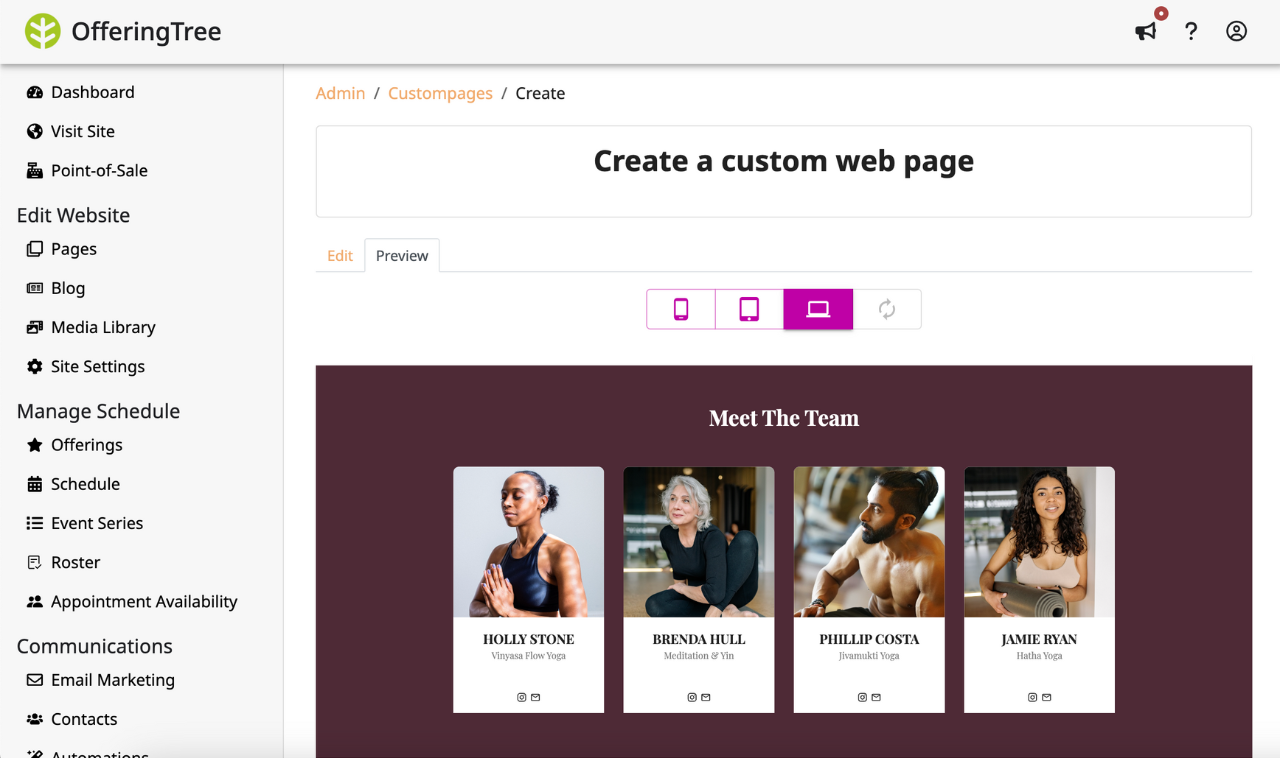
We've released some updates to make elements across your website more consistent.
- Previously, two of our most popular page blocks, "Service Highlights" and "Meet the Team, " didn't have consistent heights. The height depending on the amount of content in each card, creating immense inconsistency in some cases. Now, you can have all the cards in the section be the same height no matter the amount of content in each card.
- We've added the capability for you to set the aspect ratio (height x width proportions) of your videos to accommodate both landscape and portrait video formats.
In addition, as the social media landscape continues to shift, we get more requests for the ability to add a BlueSky social media link, so that functionality now exists.
How does this impact your business? Here is an example:
Jessica runs a wellness and yoga studio that relies on her OfferingTree website to attract and convert new clients.
While her website is functional, she noticed some design inconsistencies—especially in sections that highlight her services and team. With this latest OfferingTree update, Jessica can now create a more polished, professional, and user-friendly website without needing advanced design skills.
How Jessica Uses the New Updates:
Consistent Heights in “Service Highlights” and “Meet the Team” Blocks
- Before: The cards showcasing Jessica’s signature classes varied in height depending on the text length, making the section look disorganized.
- Now: She sets a consistent height for all cards, ensuring a clean, visually balanced layout that looks great across devices.
Custom Aspect Ratios for Videos
- Before: Jessica frequently uploads class previews and instructor intros, but previously, some videos appeared too cropped or stretched.
- After: She can set the perfect aspect ratio for each video, ensuring that her landscape class recordings and portrait Instagram-style reels display correctly.
New BlueSky Social Media Link
- Jessica has been experimenting with BlueSky to connect with a new audience. Now, she can easily add a BlueSky link to her website’s header and footer, ensuring visitors can find her across all her social channels.
These updates make it easier to maintain design consistency, enhance video presentation, and expand your social reach—all with just a few clicks!
Additional Reports
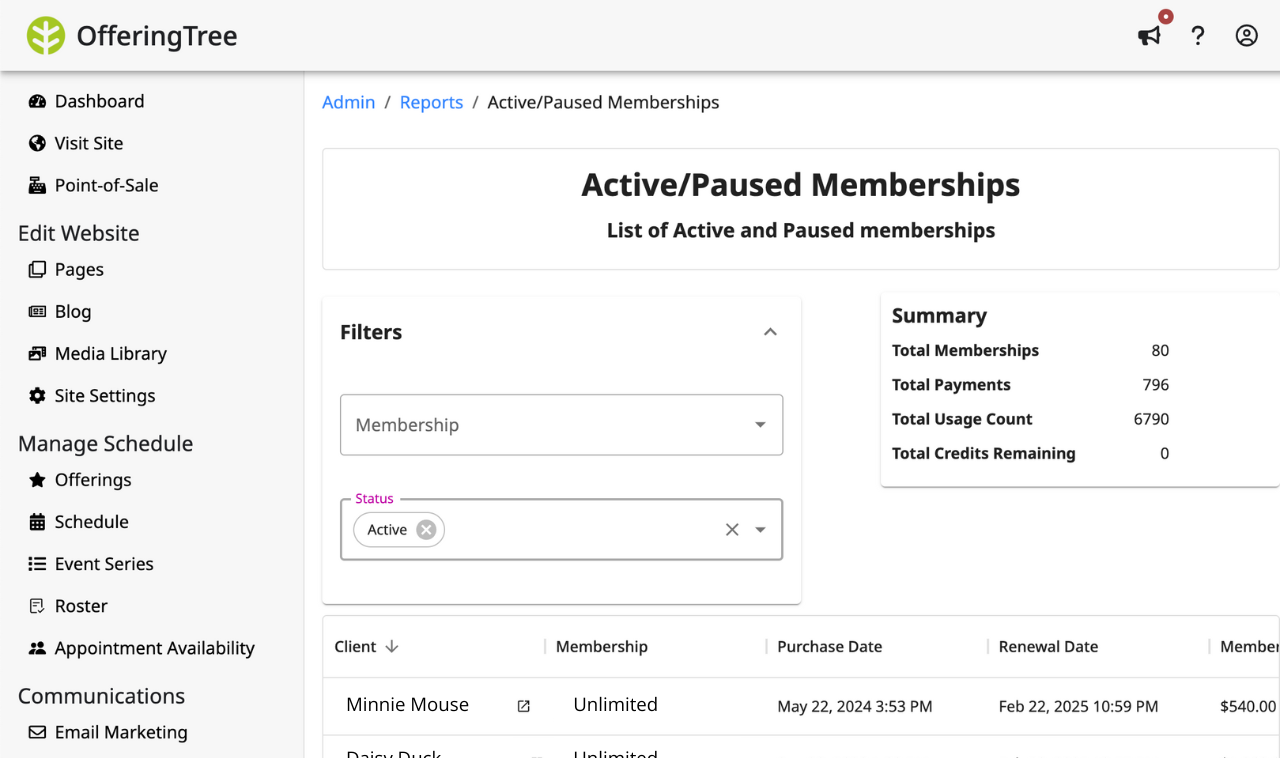
We've brought you a bunch of new reports to give you easy access to the complete picture of your business performance, especially when it comes to memberships and packages.
Here are all the reports we've added :
- Discount Code Usage
- Unpaid Registrations
- Active/Paused Memberships
- Canceled Memberships
- Active Packages
How does this impact your business? Here is an example:
Sarah owns a thriving yoga + Pilates studio offering memberships and class packages. While her classes are well-attended, she’s noticed fluctuations in membership renewals and wants a clearer picture of her business performance to make better strategic decisions.
How Sarah Uses the New Reports:
- Discount Code Usage Report: With this report, she sees exactly how many people redeemed her holiday discount code and whether those new sign-ups are converting into long-term members.
- Unpaid Registrations Report: Some clients booked classes but haven’t completed their payment. Sarah can now easily identify these clients, and collect payments when they are at the studio or right after their session.
- Active/Paused Memberships Report: With seasonal fluctuations, some members have paused their memberships. Sarah uses this report to track how many members are currently paused and to re-engage them with a Welcome Back Offer when they’re ready to return. She also uses this report to track her active membership holders and share exclusive discounts for long-time active members.
- Canceled Memberships Report: This report helps Sarah track when and why members cancel. By spotting trends—like an increase in cancellations after three months—she decides to add an exclusive members-only workshop at the 90-day mark to increase retention.
- Active Packages Report: Some of Sarah’s students prefer buying class packages instead of a membership. With this report, she can better understand just how many of her clients prefer this option over memberships to decide whether she should revamp her membership offerings, her package offerings, or both.
Whether it’s monitoring discount impact, following up on unpaid registrations, or preventing membership churn, these insights help you take action before small issues become big problems.
More Automation Updates!
Your automation features have been updated to make connecting with your clients easier than ever:
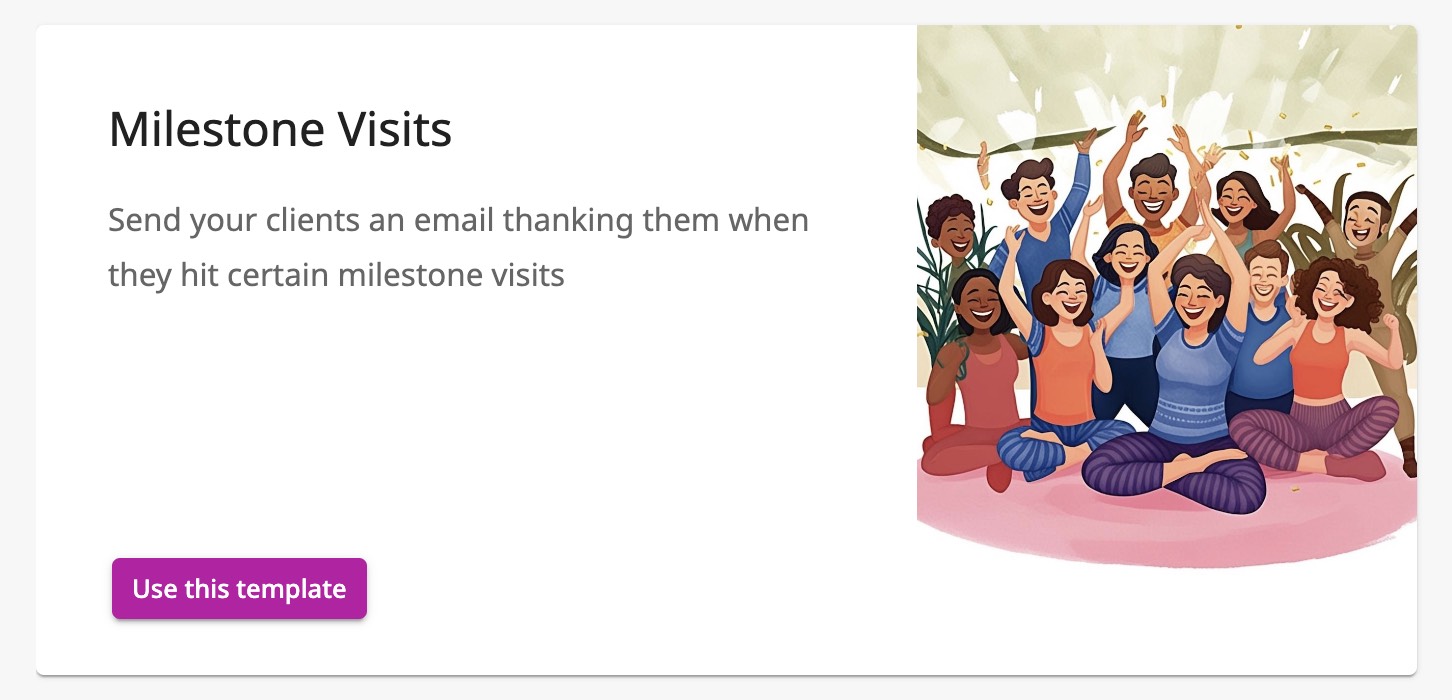
- Celebrate Milestones with Ease: Show your clients how much they mean to you! Our new automation template lets you effortlessly acknowledge important milestones and appreciate your clients' progress. This template helps you commemorate key milestones, like 25th, 50th, and 100th visits, with thoughtful, automated messages.
To clarify how this works in your dashboard, we've created a how-to video.
- Unlock New Possibilities with Class Check-in Triggers: We've added a new action to trigger an automation sequence! Our latest update lets you create an automation that triggers whenever a client checks in to a class, unlocking a range of possibilities for automated actions, such as sending personalized reminders or gathering feedback after a class.
How does this impact your Business? Here is an example:
Meet Sarah, a life coach and yoga instructor. Sarah wanted to strengthen her connection with clients and save time on daily tasks. Here’s how these updates transformed her workflow:
- Celebrating Client Milestones: Using the new milestone automation, Sarah set up an email that congratulates her clients on their 25th, 50th, and 100th visits with her. The messages thank them for their dedication, offer a small discount on product purchases, and remind them of their progress. Clients love the personal touch, and it's led to repeat bookings and glowing reviews.
- Class Check-in Trigger: Sarah activated the class check-in trigger to send automatic post-class feedback forms. Clients receive a quick, friendly email asking about their experience and inviting them to suggest future class topics. This simple action has boosted her feedback rate by 40% and helped her tailor her offerings to what clients really want.
By using these automations, Sarah has created a more engaging client experience without adding extra work to her day.
Download Signed Waivers
You can now download a copy of individual signed waivers to keep in your records.
To do this, head to the "Waivers" page and click on the waiver to see who has signed it. You can click the download button against a client to download their signed waiver
How does this impact business? Here is an example:
Imagine you own a fitness studio, and a client experiences an injury during a class.
To address the situation responsibly, you need quick access to their signed waiver.
With OfferingTree’s ability to download signed client waivers directly from your business software, you can:
- Quickly retrieve the document to confirm the details and protect your business.
- Provide the waiver to legal or medical professionals if needed.
- Save time and avoid scrambling through paper files or outdated systems.
This feature ensures you’re always prepared, making your business more professional and efficient while giving you peace of mind.
Organized Media Library
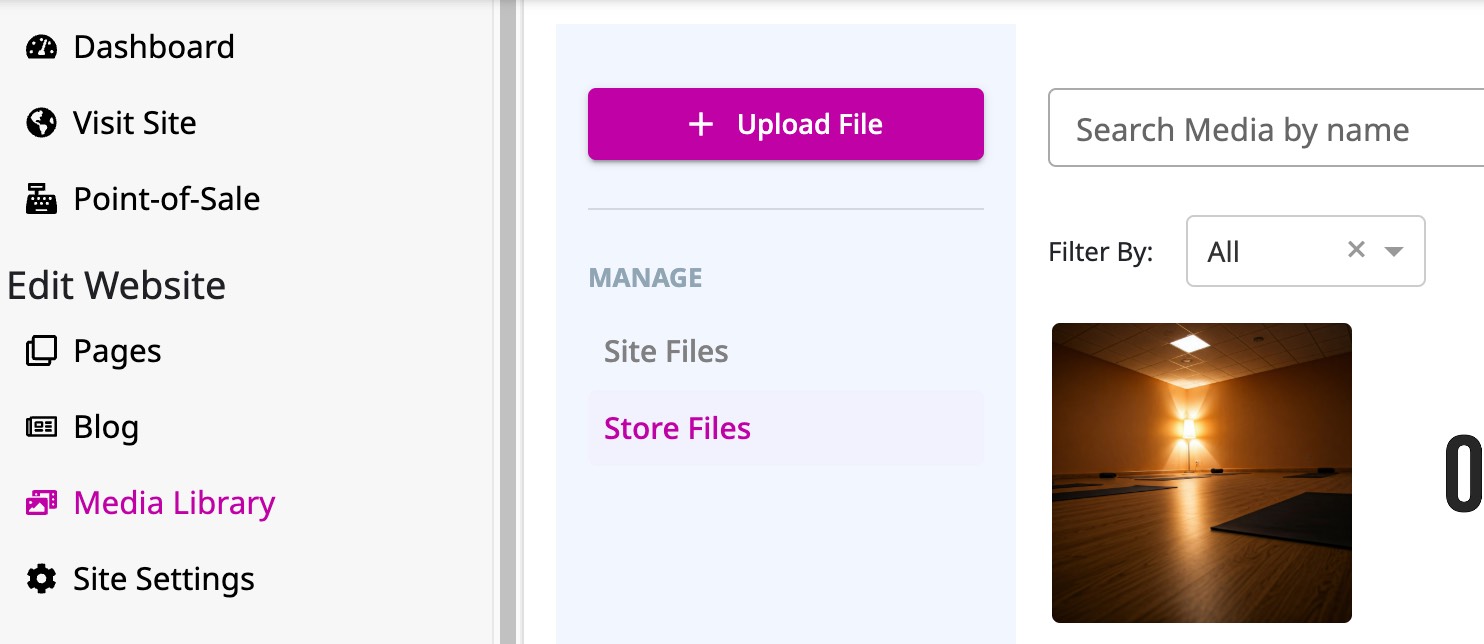
We're excited to announce the launch of a powerful new feature designed to streamline your content management: the Media Library! 🔮
This much-requested feature provides a central hub for managing all uploaded files, making it easier than ever to reuse images, videos, and documents across your OfferingTree website and online store.
How does this impact business? Here is an example:
Sinead owns a yoga studio and uses OfferingTree to manage her website, schedule workshops, and sell memberships. She frequently creates blog posts, landing pages, and promotional materials for their offerings.
Before the media library, she had to upload brand and marketing assets repeatedly, wasting time and creating unnecessary inconsistencies across her website.
With the media library, she can now upload assets once. Streamlining this process saves her time, reduces tech frustration, and ensures consistency.
Mobile App Updates: Booking Management and Bug Fixes 🤳
We’ve made updates to our mobile app for your clients!
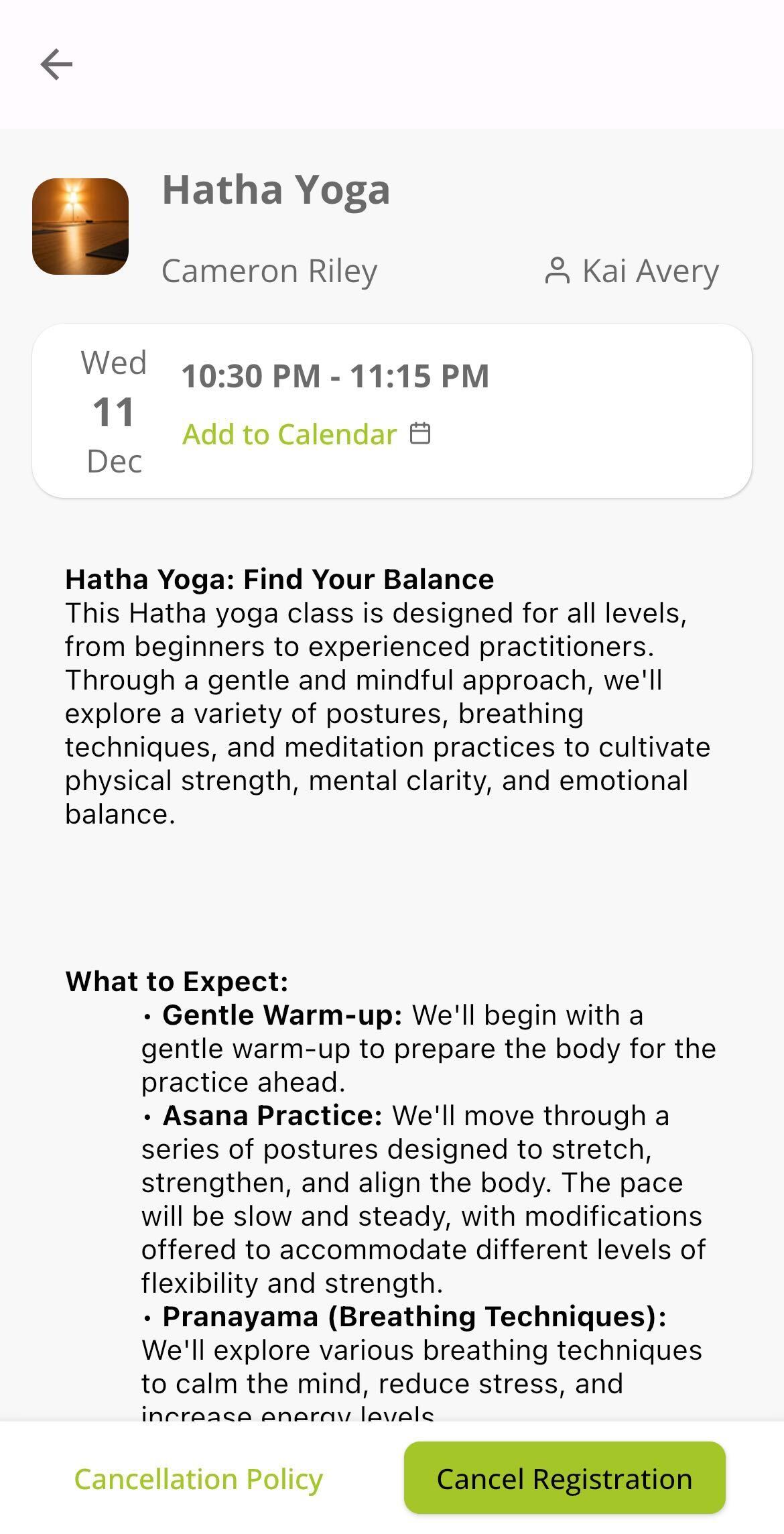
Now, clients can view event detail pages for each upcoming registration 🧐 (IE classes, series, appointments, etc). Cancellation policies will be clearly stated, and if allowed, clients can cancel their booking right from the app. 💁
Beyond that, we fixed a few bugs that should further improve your and your client's experience with the OfferingTree app. 🐛 🪲
Automation Quota Change
We’ve updated automation limits to simplify and expand your ability to use them effectively. 😌
Before the update, depending on your plan, you had a limit on how many people could run through your automations in a month, which really limited their general usability for those on our lower plans, especially.
Now, there are no limits on how many people run through your automations. So, no matter what plan you are on, you can have as many people run through your automations as you would like.
For the new limits*, each plan has a limit on the number of automations an OfferingTree user can have active at a time. This means, a person can have as many automations as they’d like actually built out in their account, but they can only have a certain amount turned on and active at a time.
*New limits only apply to new customers. See more below.
The new limits for new customers are as follows:
- Essentials - 2 active sequences at a time
- Pro - 5 active sequences at a time
- Studio Lite - 5 active sequences at a time
- Studio - Unlimited active sequences
🚨 As a current customer, limits will be different for you! 🚨
Here’s how 👇
Currently, if you have more active automations than the new limits allow, that is perfectly fine 🙂 We didn’t want our new update to inconvenience any of you!
If you have more active automations than the limits allow for new users, the number you currently have active is your new limit. If you currently have fewer active automations than the new limit your new limit will be the same as what's outlined above for new users.
Built-In Automations
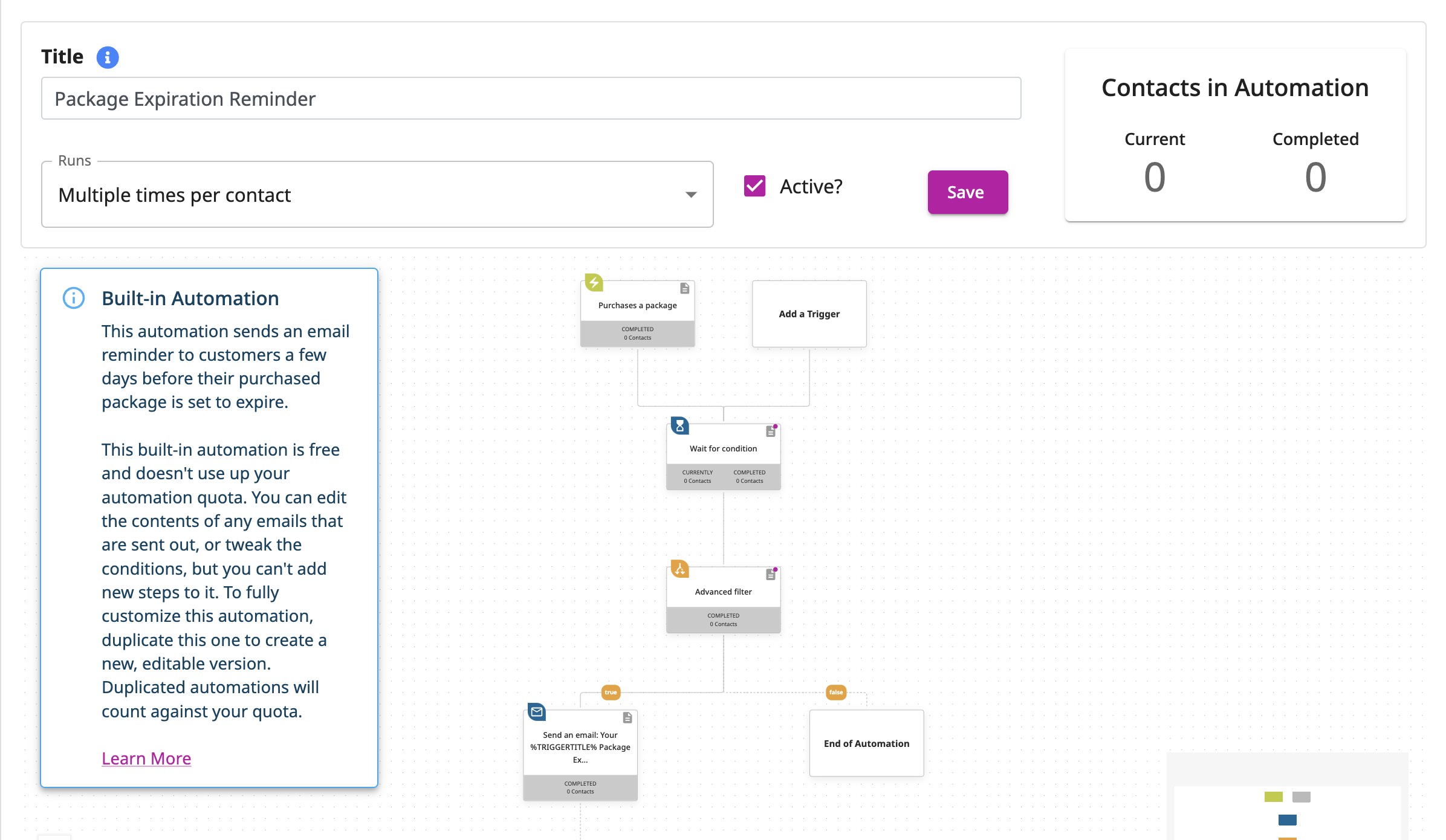
We've released three built-in automations to help you do common tasks for your business. Going forward, they come as part of the software - or built-in 😉
While you can change the email content and conditions, editing these automations further is limited. However, these do not count towards your automation quota.
These are located in the automation section of your software with a clear label that says 'Built-in' to differentiate them.
- Package Expiration Reminder sends out a reminder email to your clients before their package expires.
- Membership Renewal Reminder sends out a reminder email when their memberships are about to renew.
- Package Credits Running Low lets clients know when their credits are running low, encouraging them to purchase a new package.
How does this impact business? Here is an example:
You’re a Pilates studio owner, and one of your clients, Jamie, has a busy schedule. They’ve purchased a 10-class package, but as it nears its expiration date, Jamie forgets to use their remaining credits—or even worse, to renew their package.
With OfferingTree’s new Built-in Automations, you can ensure Jamie gets timely reminders without any extra effort on your part:
- Package Expiration Reminder (Default: On): Jamie receives an automatic email a few days before their package expires, encouraging them to finish their classes or purchase a new package.
- Package Credits Running Low (Default: Off): When Jamie has only two credits left, they get a nudge to stock up on their next package, ensuring they never miss a session.
- Membership Renewal Reminder (Default: Off): For members, this built-in automation sends out a helpful heads-up before their membership renews, reducing surprise charges and improving client satisfaction.
Why this matters:
These automations work in the background to keep your clients informed and engaged, ultimately driving more renewals and purchases. And because they’re built-in, they don’t count toward your automation quota, letting you save your custom automations for other business needs.
Customizable and Easy to Use:
While these automations come ready-to-go, you can tweak the email content and conditions to match your business’s tone and style—all from the automation section in your software.
The result?
You spend less time managing manual tasks and more time focusing on what you love: connecting with your clients and growing your business.
More Automation Conditions and Mail Merge Tags
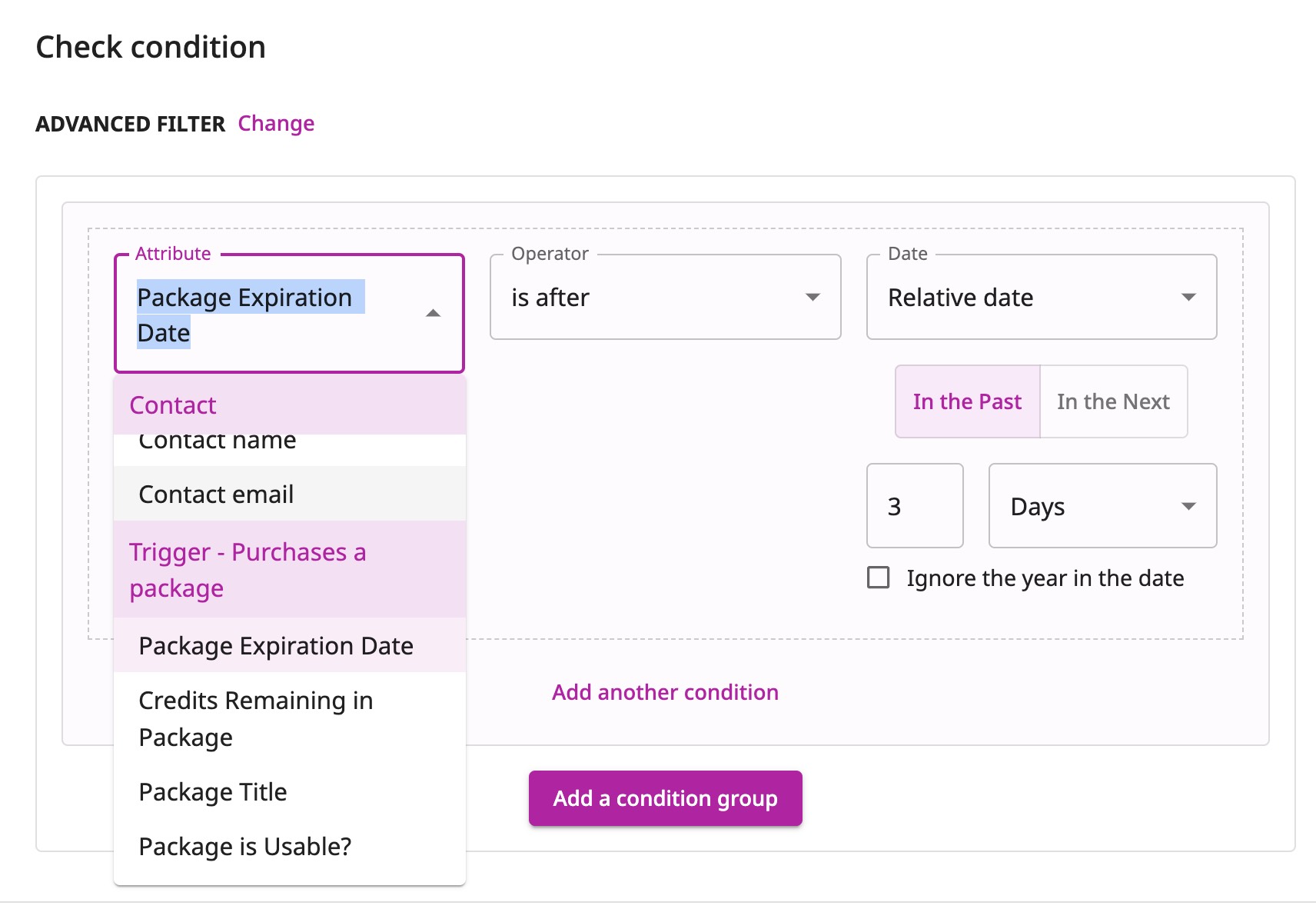
Now, you can customize your automation sequences even more.
We've added new attributes that let you trigger automations based on things like package expiration date, credits remaining, and more!
We've also added more merge tags to use in your automation emails. Merge tags function as placeholders in an email that pull unique data like the recipient's name, package title, expiration date, remaining credits, etc.
This new update will allow you to build even more powerful automations that speak to each of your clients individually.
To help you understand exactly how this works, we've created a short video to further explain. You can also learn more in the new help article we made.
How does this impact business? Here is an example:
Imagine you're running a busy wellness center, and one of your clients, Alex, has a class package that’s about to expire. Instead of manually tracking and reminding Alex to renew, you can now create an automated email sequence triggered by the package expiration date.
Here’s how it works:
- A week before Alex’s package expires, they receive a friendly email automatically, personalized with their name, the title of their package, and how many credits they have left.
- If Alex hasn’t renewed their package three days before the expiration, another email goes out offering a special renewal discount.
- After their package expires, a follow-up email is sent with tailored suggestions for new packages, keeping them engaged with your studio.
Thanks to the new merge tags and attributes, these emails are not only timely but also hyper-personalized—making your communication feel thoughtful, not automated.
The result?
You save time, boost renewals, and build stronger relationships with your clients—all while letting OfferingTree handle the heavy lifting.