
New Features & Enhancements
See our latest platform enhancements and tools designed to help you run and grow your wellness business with ease
Staff Permission Updates
We've added a new staff permission: "View All Rosters". This allows designated staff members to view all event and appointment rosters within the studio. This is ideal for front desk staff who need to check in clients and access schedule information without requiring full administrative privileges.
Automation Updates
We’ve made automations even more powerful with new automation triggers (the things that start automations) so you can respond to key client actions like membership cancellations or pauses, new bookings (including guest passes!).
We've also added more refined conditions - like checking for a certain active or usable membership or that a contact has a saved phone number.
Plus we added a new custom math action to help you track things like client no-shows or visit counts.
Website & Page Builder Updates
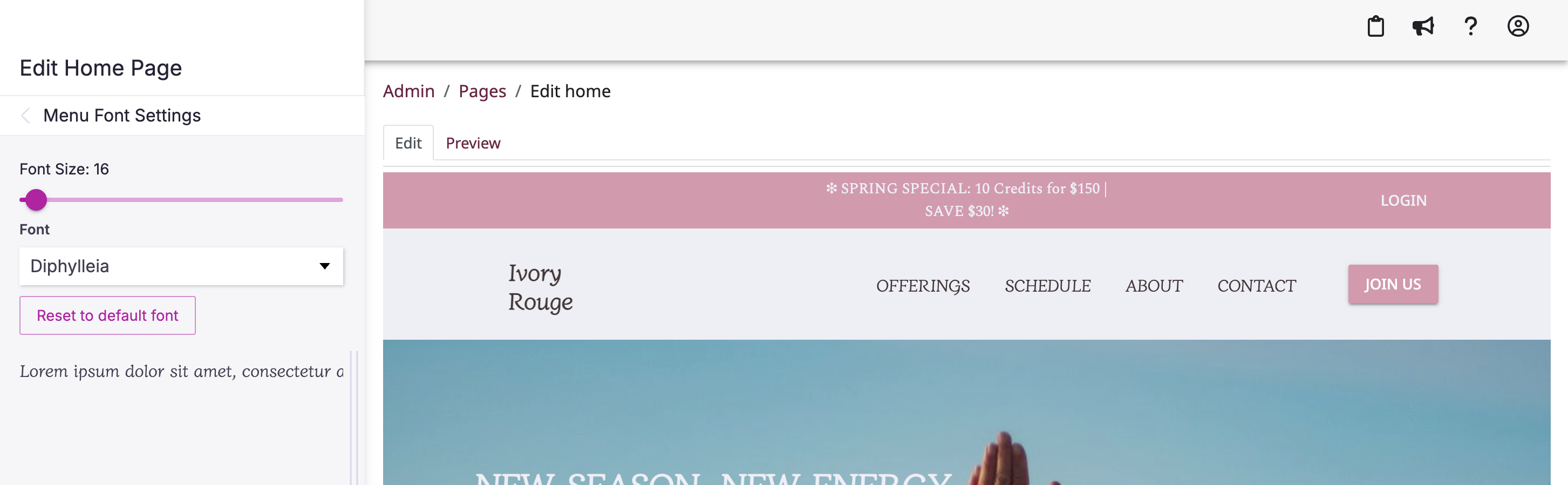
Now you can customize the font and size of the page titles in your website's top header.
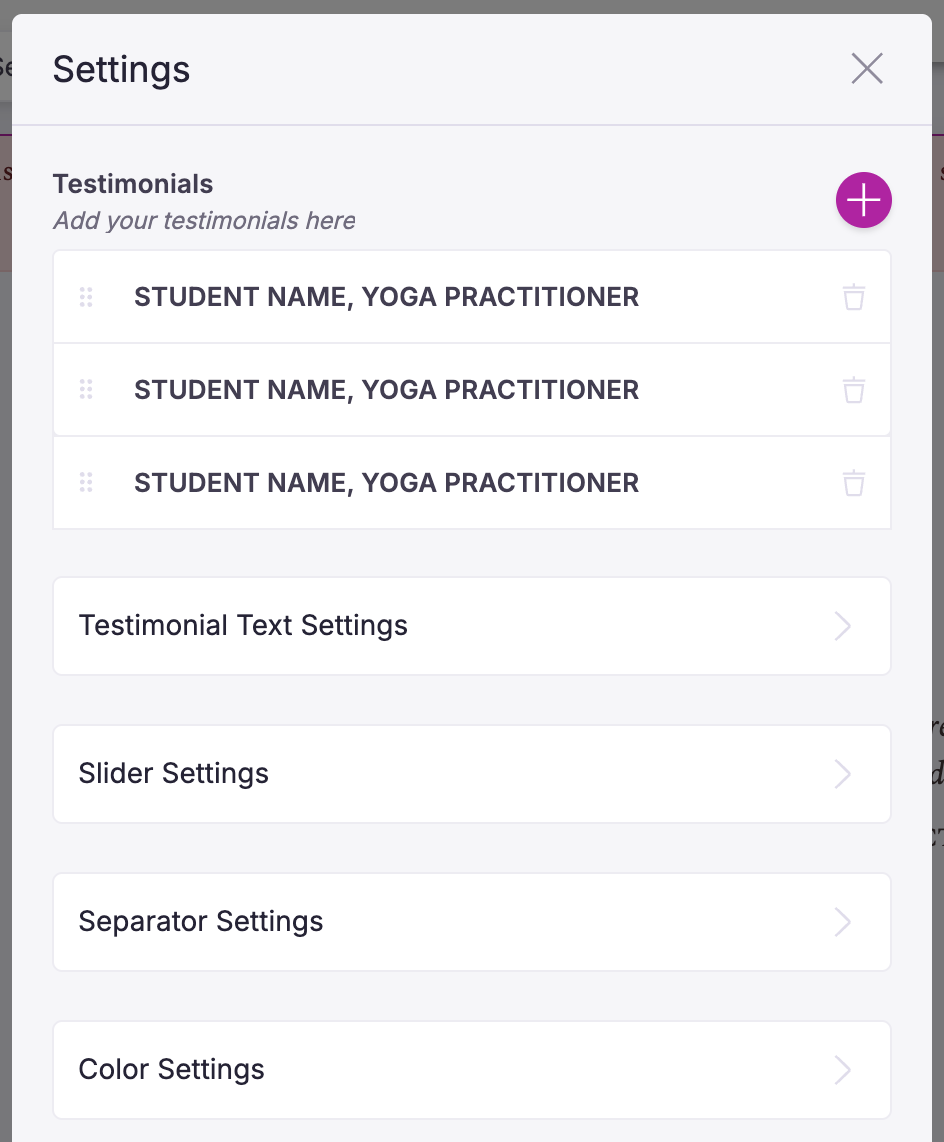
We’ve also improved the testimonial sections by allowing you to change the font and font size of the quotes and how quickly the slider transitions to the next page of quotes.
Google Calendar Sync
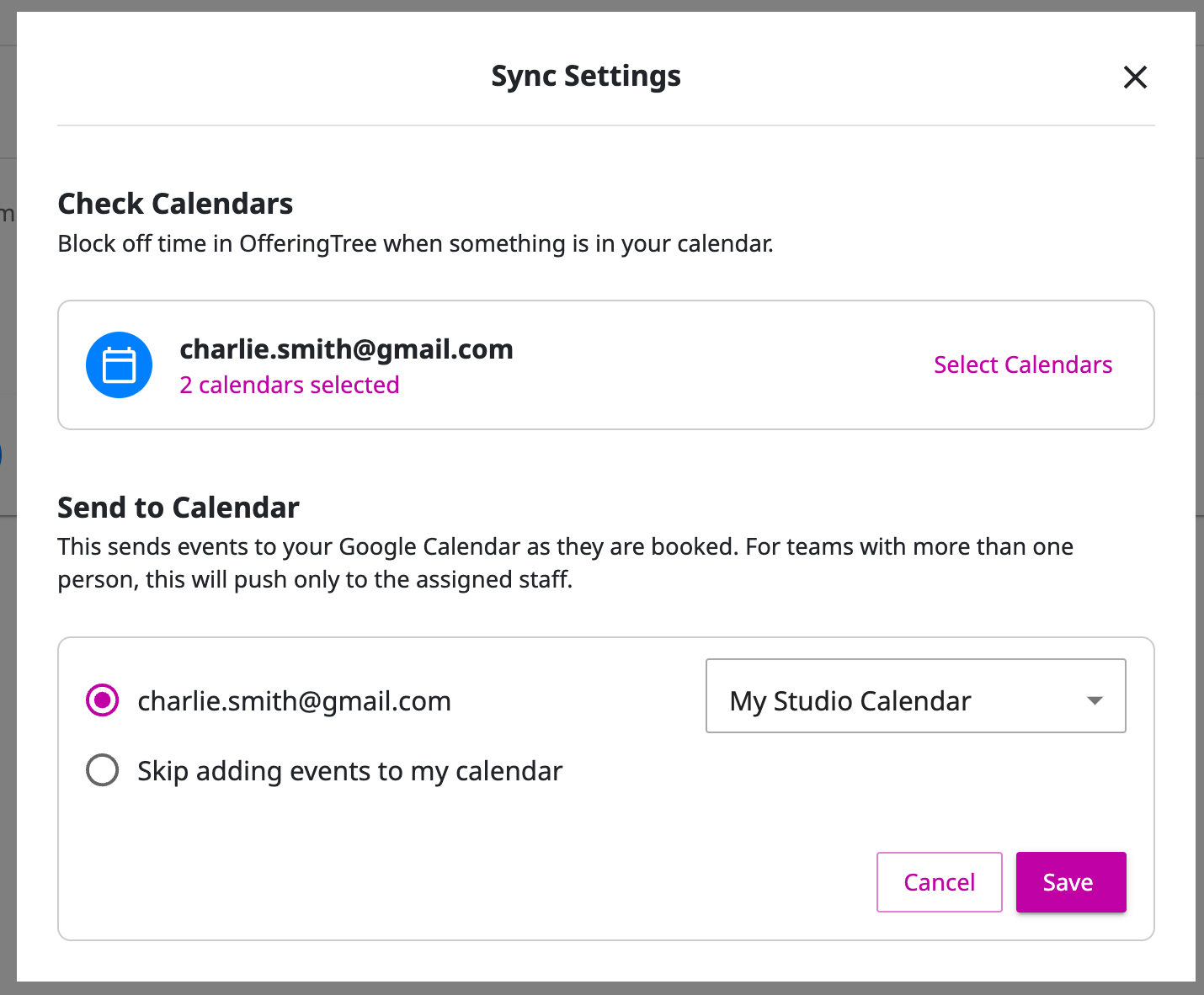
It's finally here 🎉 This two-way sync allows for automatic updates between OfferingTree and Google Calendar. Existing Google Calendar events will block time off from your appointment availability in OfferingTree, and your OfferingTree appointments, classes, and events will appear in Google Calendar. Simplify your scheduling today!
How does this impact business? Here is an example:
You have a doctors appointment, and it's on your personal Google Calendar, but you forgot to block that time off in your booking platform and you got double booked. Now with OfferingTree's new Google Calendar integration that doctors appointment in your Google Calendar automatically blocks off your availability preventing you from being double booked. 🪄
Membership Management Updates
Managing your members can be complicated and time consuming. We are always thinking of ways to make it easier and seamless to keep them, you, and your staff happy. Here are a few updates we made to give you more options to manage your members and streamline tedious tasks.
Change Memberships: Easily change a purchased membership to another membership type. For example, if someone purchased an entry level membership and they are ready to upgrade to an unlimited membership, you or your staff can do that with a few button clicks.
Apply Gift Cards: Use gift cards or in-store credit to pay for existing memberships. This provides your clients with more options to use their gift cards or in-store credit.
Temporary Pricing: Set up promotional or discounted pricing for a specific number of billing cycles on purchased memberships. For example, if you wanted to give a member a discount on a membership for 3 months you can set that up and the price will automatically go back to full price at the end of the discount period.
Updated Self Check-in Screen
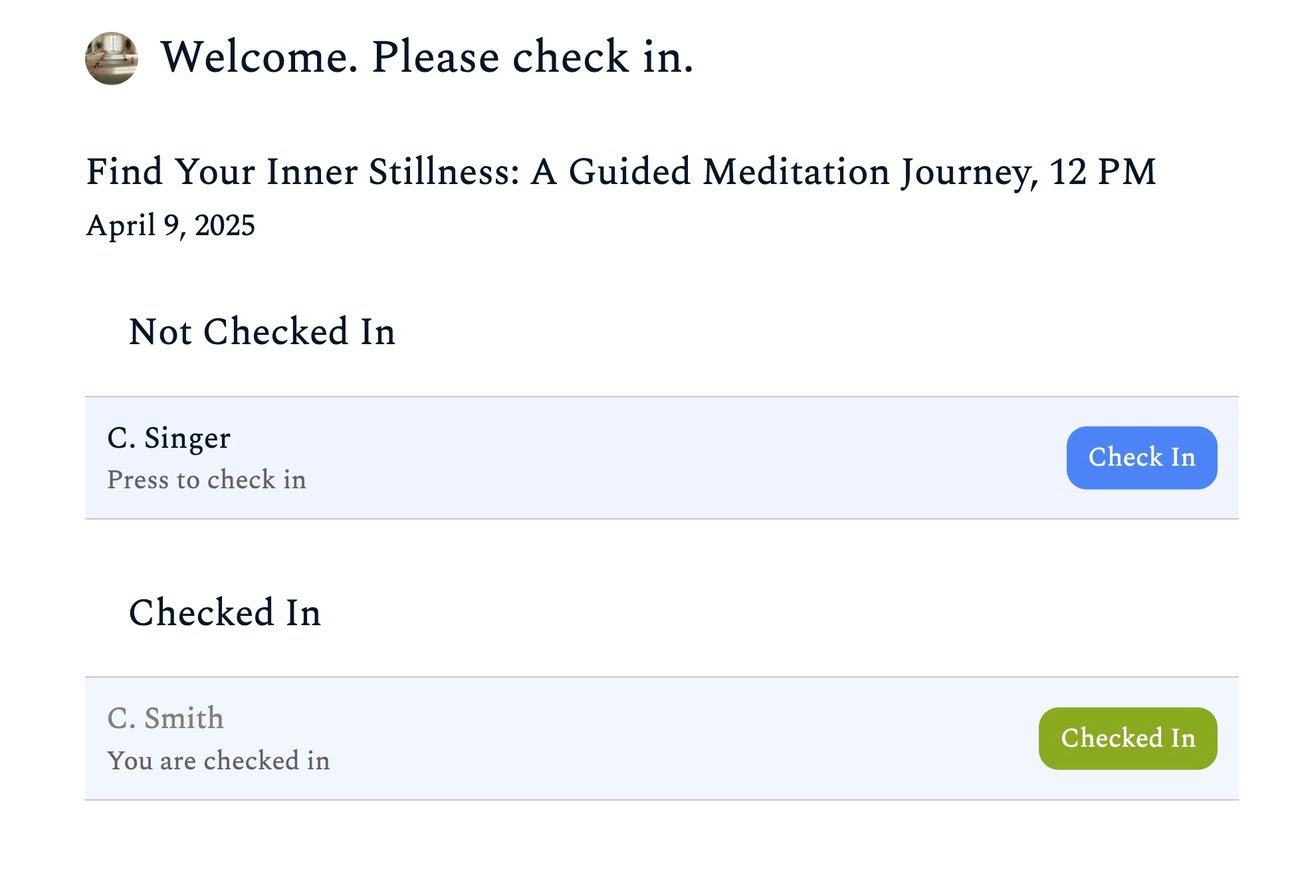
Experience our enhanced self-check-in screen for even greater ease!
Now, the system intelligently guides clients through the process. If a client hasn't yet paid for their session, they will be prompted to check in at the front desk to finalize payment.The screen will automatically progress to the next scheduled event once the current one is completed. Accessible from individual class rosters and the top admin navigation (for staff with "Check-in" permissions), enjoy a smoother and more efficient start to every class or event!
Oh and if you have staff, we added a permission so any staff member can run the self check-in screen and handle other check-in tasks.
New Staff Permissions
You asked and we delivered! Now you can have more control over what your staff members can and can't access with 3 new permissions levels.
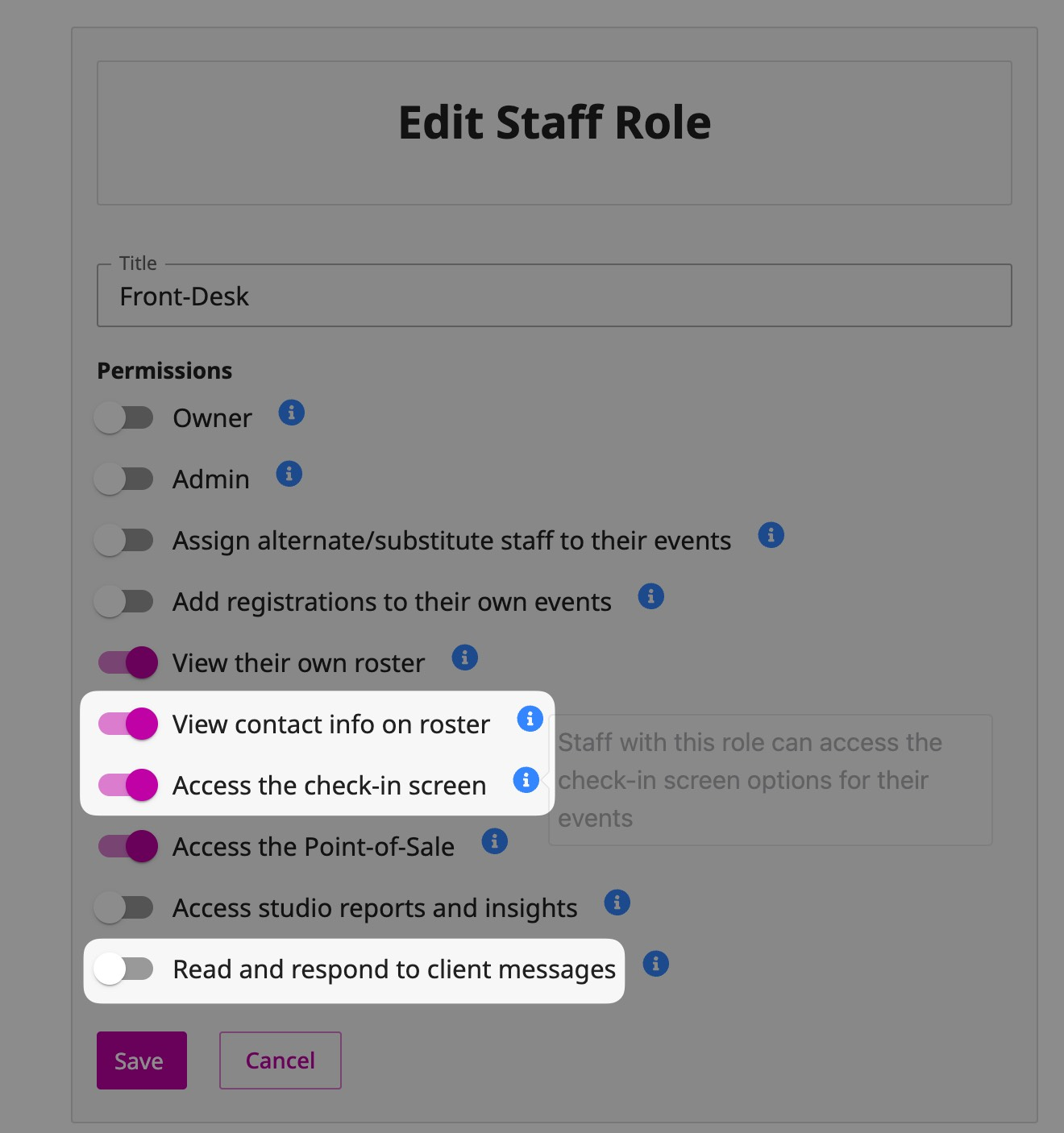
Viewing Contact Info on the Roster: Now you can hide client's contact information accessible from the Roster screen.
Access the Check-in Screen: This could be handy if you want to have a staff role that can only access the check-in screen, like a front desk worker.
Read and Respond to Client Messages: This will allow staff to receive contact form submissions, client replies to your messages, and access to the messaging inbox. There will be some exciting updates to the way you can message your clients soon!
Updated Admin Schedule
We’ve just rolled out a new and improved Admin Schedule to make managing your studio even easier.
With a streamlined list view and flexible month view, you can quickly see what’s coming up and take action right from the schedule—add attendees, edit classes, block off time, and more.
Plus, powerful filters let you sort by staff, class type, and category for a customized view.
How does this impact your business? Here is an example:
Emma owns a wellness studio, offering a variety of yoga, meditation, and fitness classes. She manages multiple instructors, class types, and private sessions, making scheduling a key part of her daily operations.
Before this update, checking upcoming classes, adjusting schedules, and managing client bookings required multiple steps and a lot of clicking around. Now, with the new and improved Admin Schedule, Emma can easily view, organize, and update her studio’s schedule—all from one place.
How Emma Uses the New Update:
Streamlined List View for Quick Decision-Making
- Emma loves the new list view that lets her scan upcoming classes at a glance.
- Instead of opening each class individually, she can quickly see which sessions are filling up, which need more promotion, and where she might need to adjust staffing.
Flexible Month View for Better Planning
- With the month view, Emma can now see the big picture of her studio’s schedule, making it easier to plan special events, workshops, or adjust class frequency based on demand.
Take Action Directly from the Schedule
- A client calls and wants to be added to tomorrow’s Pilates Fusion class? Emma doesn’t need to navigate to a separate booking page—she can add attendees right from the schedule with just a click.
- Need to edit a class time or block off time for a private event? No problem—Emma can make those changes without leaving the schedule.
Powerful Filters for Smarter Scheduling
- Emma manages multiple instructors and different class types, so filtering by staff member or class category helps her:
- Quickly check who’s teaching what each week.
- Balance class types to ensure variety in the schedule.
- Monitor attendance trends for different categories (e.g., Are evening meditation classes growing in popularity?).
With the new Admin Schedule, OfferingTree users can manage their studio’s operations more efficiently than ever.
This update helps wellness business owners stay organized, improve scheduling accuracy, and provide a seamless experience for both staff and clients—without the extra admin headache.
Block Availability with Scheduled Offerings
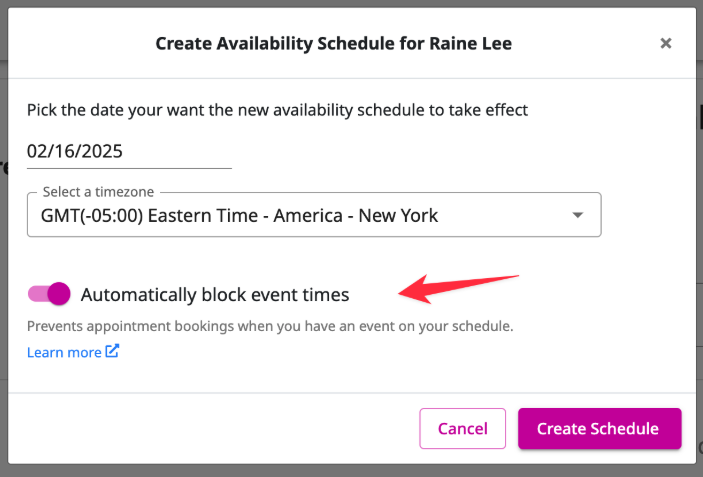
Managing your availability just got easier!
If you offer both private appointments and classes/events, you know your availability can depend on your teaching schedule.
Previously, blocking off time for your classes meant manual work. Now, simply check a box, and we'll automatically block your availability whenever you have a class scheduled. Learn more here.
For studios on the Studio plan with staff, this also applies to staff availability. You can choose to automatically block appointment availability for your staff members based on their teaching schedules.
How does this impact your business? Here is an example:
Lisa runs a studio, where she offers both group classes and private appointments. Her instructors also juggle teaching classes and offering one-on-one sessions, making scheduling a challenge.
Before this update, Lisa and her staff had to manually block off availability every time they scheduled a class to prevent double bookings for private sessions. This process was time-consuming and prone to errors, sometimes leading to accidental double bookings and last-minute cancellations.
Now, with automatic availability blocking, Lisa can eliminate scheduling conflicts and save hours of manual work.
How Lisa Uses the New Update:
Automatic Availability Blocking for Private Appointments
- Lisa teaches a morning yoga class every Monday at 9 AM and also offers private Reiki sessions.
- Before: She had to manually update her availability every time she scheduled a class to ensure no one could book a Reiki session during her class.
- Now: She simply checks a box, and OfferingTree automatically blocks her availability during her class times—no extra steps needed!
Preventing Staff Scheduling Conflicts
- Lisa has three instructors who also offer private coaching sessions.
- Before: If a staff member added a class, Lisa had to double-check and manually update their availability for private sessions.
- Now: When an instructor adds a class to their schedule, their private appointment availability is automatically blocked—ensuring no accidental overlaps.
More Accurate Booking for Clients
- Previously, some clients would see an available private appointment slot that wasn’t actually open because Lisa or her team hadn’t updated their availability yet.
- Now: The system automatically prevents scheduling conflicts, ensuring clients only book truly available appointment times.
This update removes a major scheduling headache for wellness business owners, making it easier to manage class and appointment availability without constant manual updates.
For studios with multiple instructors, this feature is even more powerful, as it ensures staff availability is always accurate, reducing administrative workload and keeping the schedule running smoothly.
Move an Attendee from One Class to Another
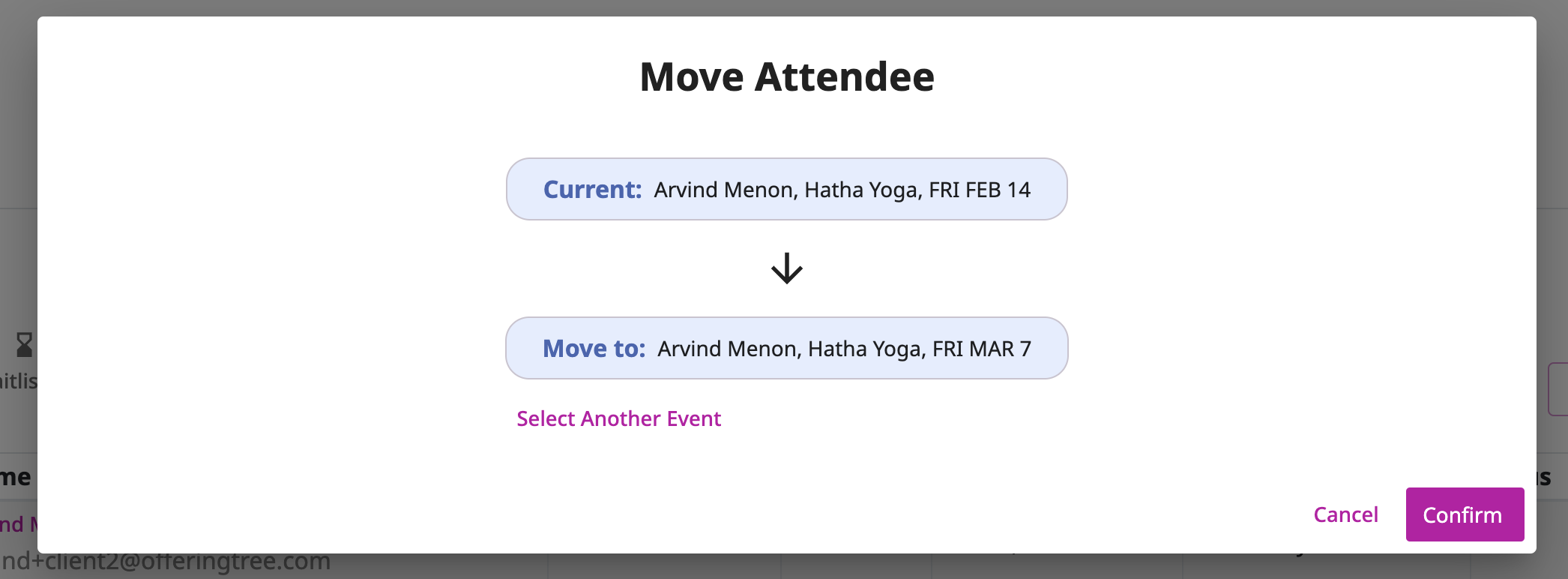
Need to reschedule a client for a different class? It's easy! You can move their registration and payment to the new class in just a few steps. Follow the instructions in this help article.
How does this impact your business? Here is an example:
Alex owns a bustling wellness studio. His students love the flexibility of his schedule, but sometimes life happens, and they need to reschedule their bookings.
Before this update, moving a client from one class to another required manual adjustments, extra admin time, and potential payment issues. Now, with this new feature, Alex and his team can seamlessly reschedule clients in just a few clicks—without losing their payment or requiring extra steps.
How Alex Uses the New Update:
Client Requests to Reschedule Last-Minute
- A long-time client, Sarah, is registered for a Tuesday evening Vinyasa class but realizes she has a work conflict. She emails the studio asking to move to Thursday’s class instead.
- Instead of canceling and refunding her, Alex’s team uses the new reschedule feature to move her registration and payment to the Thursday class in seconds—no hassle, no extra fees.
Bad Weather Forces a Class Cancellation
- A winter storm hits, and Alex needs to cancel an evening class for safety reasons.
- Instead of issuing refunds, he quickly moves all affected attendees to another class later in the week, ensuring they don’t lose their session. Clients appreciate the smooth experience!
A Client Accidentally Books the Wrong Class
- Mark, a new client, accidentally signs up for an advanced yoga class instead of the beginner session he meant to book.
- He calls the studio, and Alex’s team easily transfers his registration and payment to the correct class without extra charges or confusion.
Whether accommodating last-minute changes, weather-related cancellations, or simple mistakes, you can now offer a seamless client experience while keeping revenue intact.