
New Features & Enhancements
See our latest platform enhancements and tools designed to help you run and grow your wellness business with ease
🎉 Two-way SMS text messaging is here!
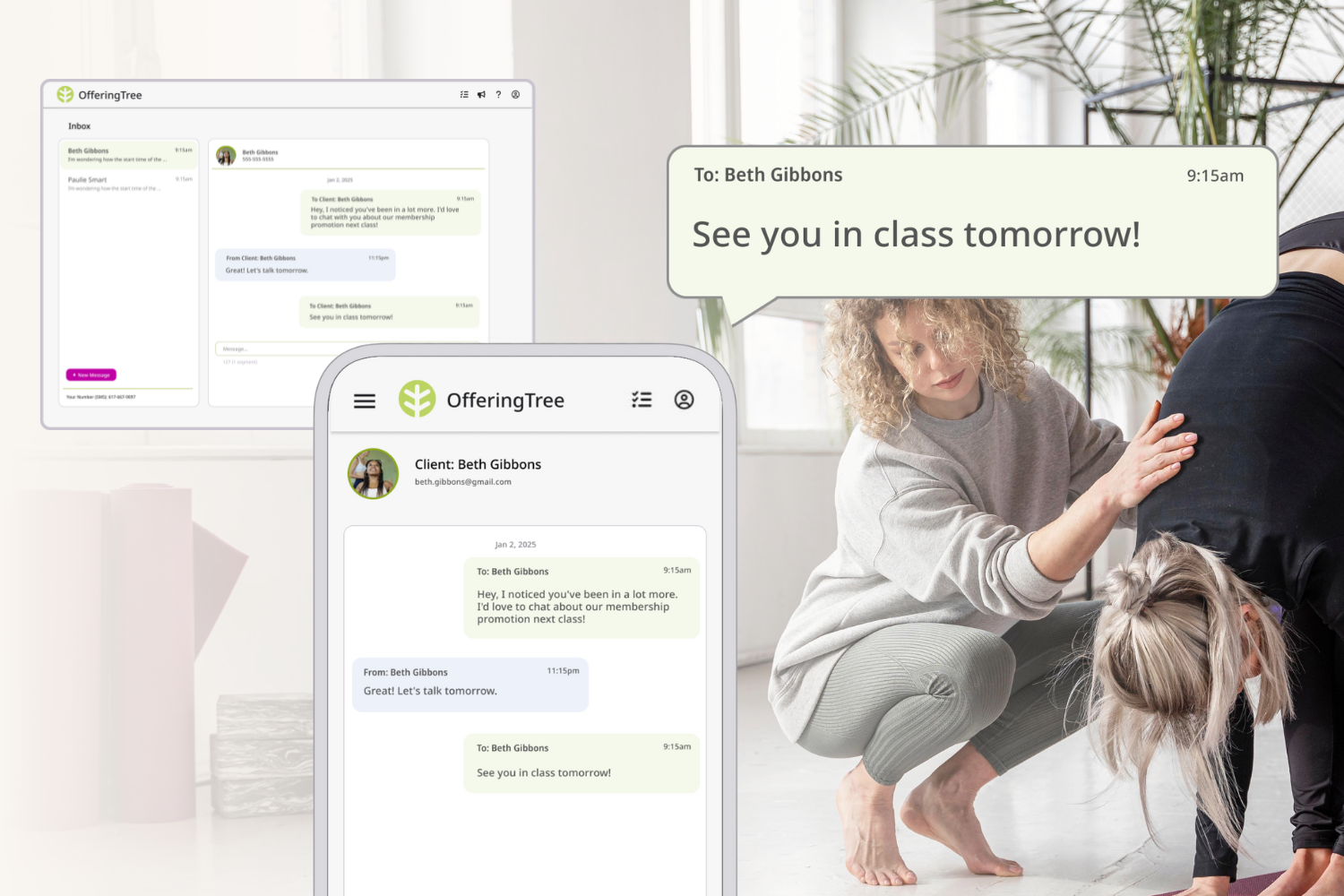
We’ve got exciting news - the two-way text messaging feature is now available as an add-on to OfferingTree!
This powerful feature makes it easier than ever to connect and converse with your clients at key moments in their journey with your business.
Whether you're welcoming a first-time visitor or checking in with a long-time student, text messaging helps you build real relationships with real results.
With this $30 add-on, you’ll get a custom phone number with a built-in inbox to send and receive texts directly from OfferingTree. This feature is also integrated with our automations and booking reminders, creating unlimited possibilities for sparking conversations with your clients.
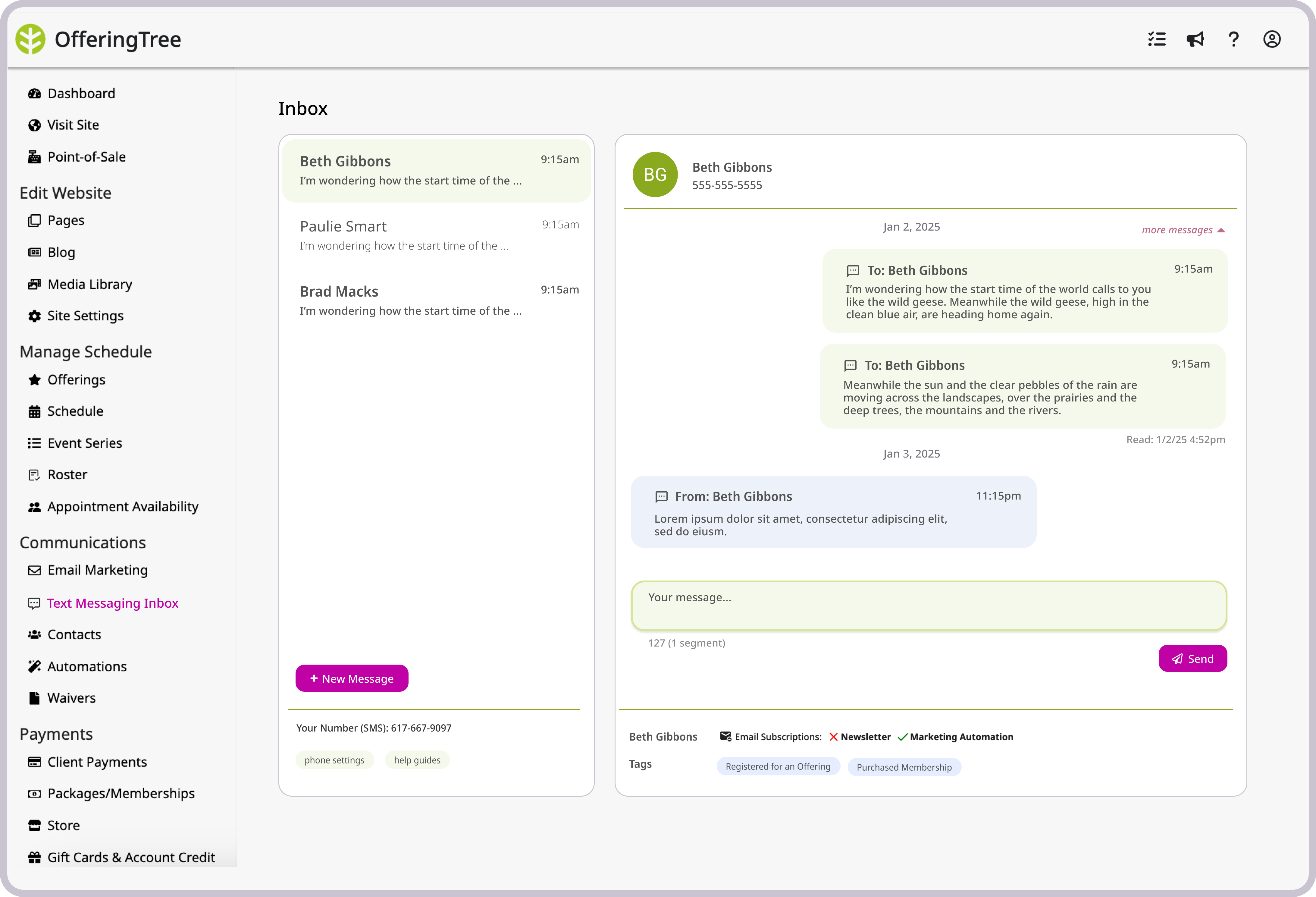
Here’s what two-way texting can help you do:
- Turn first-timers into loyal clients 👉 A personal message after their first visit shows you care - and gives them a nudge to come back.
- Boost sales with timely messages 👉 Promote intro offers, share time-sensitive deals, or upsell memberships to your most engaged clients.
- Win back clients who’ve gone quiet 👉 Reach out to those who haven’t booked in a while and re-open the conversation.
- Reduce no-shows and gather real feedback 👉 Text reminders still reduce no-shows—but now, following up after the visit lets you build deeper relationships.
Learn More About The New Two-Way Texting Features
Here’s what you need to know:
To begin with, full texting capabilities are currently supported only in the U.S., Canada, and the UK. Let us know what other countries you want us to support!
Additionally, there will be new monthly limits to the number of free text messages that can be sent for booking reminders and follow-ups as part of your paid OfferingTree plan. The vast majority of current customers will not be affected by this change because the number of free text message segments for your account was chosen based on your past usage. We also added a little padding to ensure this won’t affect the way you use texting today. If in the future you need to send more texts, you can purchase bundles of text messages right in the OfferingTree software. Check your subscriptions page to see your current quota. We also have a help article on the new limits and about text message segments.
Why are we adding limits to texting?
In the last few years, the cost of sending texts and the regulations around texting have increased. In rare cases, the costs to OfferingTree for sending text messages have been more than a customer’s subscription price. To keep OfferingTree sustainable and to continue delivering high-quality communication tools, we had to revisit how text messaging is managed across plans. With the launch of powerful two-way texting, this was the right moment to make sure our system is set up for the long haul (and that we’re not breaking any laws).
If you have any questions or concerns about how this will impact the way you are running your business currently, just reply to this email.
We’re thrilled to bring you more ways to connect and grow! If you have any questions or want help deciding if this feature is right for you, just reply to this email and we’ll be happy to help.
Best wishes,
Eddie & the OfferingTree Team
Guest Passes - Bring a Friend, Grow Your Community!
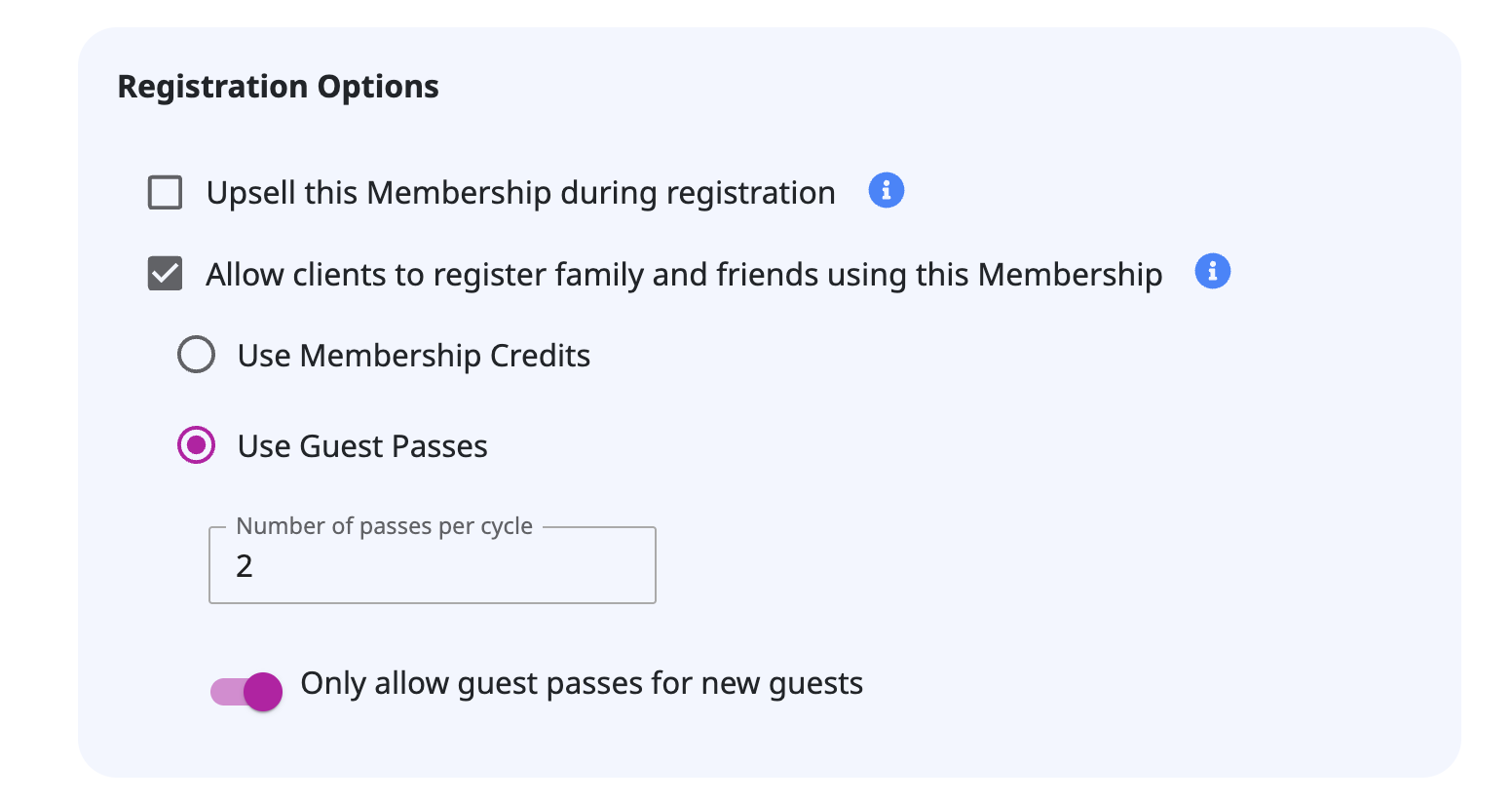
Word of mouth is powerful (and free!) marketing. With our new Guest Passes feature, your clients can bring along friends and family, and you can track and follow up with every guest to turn them into loyal clients. Scroll down for more on this new feature!
Flexible Cancellation Refund Policies
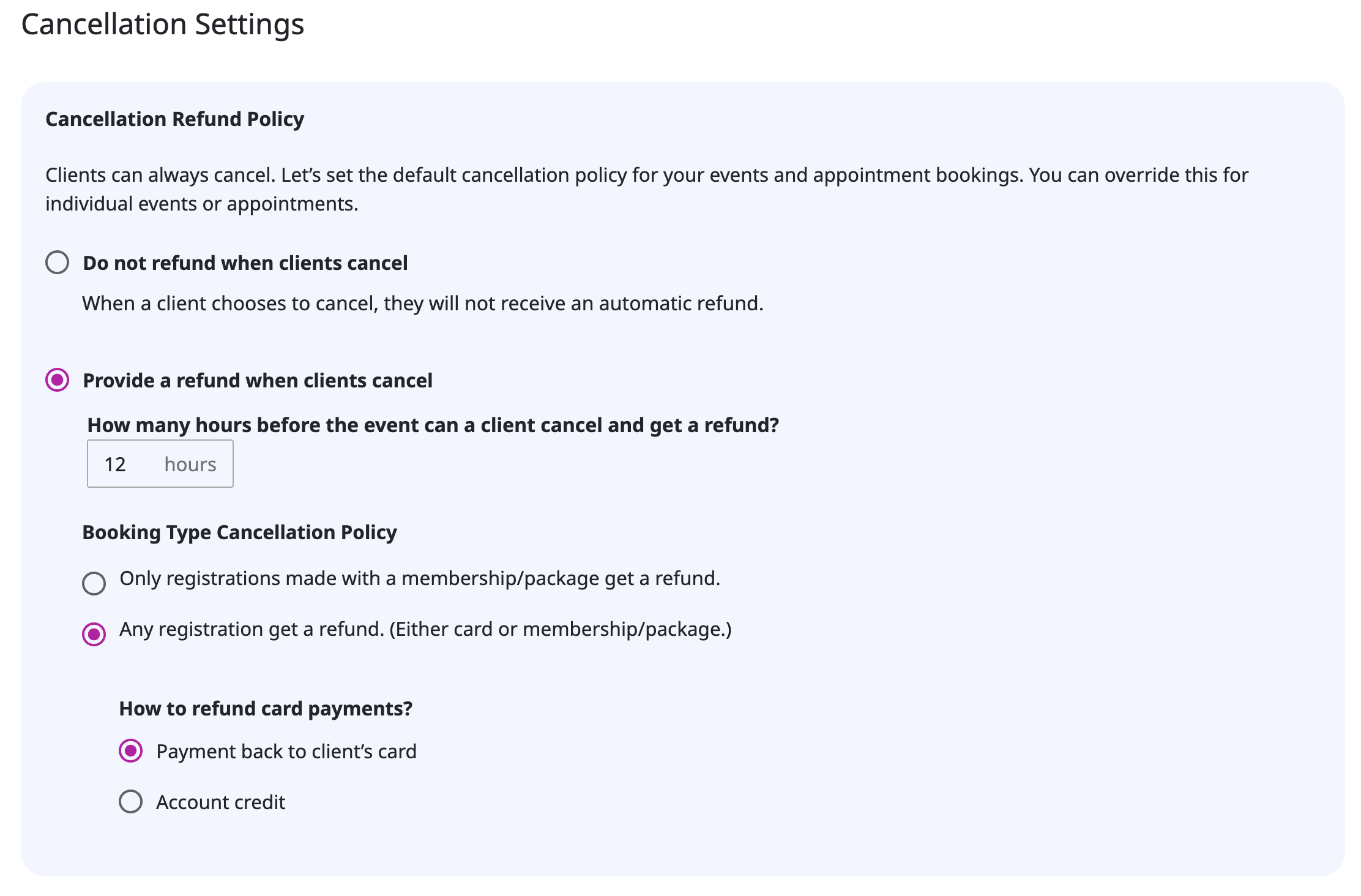
Give clients the flexibility they want while reducing no-shows and manual work. Now, refunds can go towards account credit, and you can have different cancellation policies for a class, appointment, series, or event.
Clients now have the ability to cancel anytime, even if a booking is outside the cancellation window, reducing no-shows and manual cancellations.
Staff Permission Updates
We've added a new staff permission: "View All Rosters". This allows designated staff members to view all event and appointment rosters within the studio. This is ideal for front desk staff who need to check in clients and access schedule information without requiring full administrative privileges.
Automation Updates
We’ve made automations even more powerful with new automation triggers (the things that start automations) so you can respond to key client actions like membership cancellations or pauses, new bookings (including guest passes!).
We've also added more refined conditions - like checking for a certain active or usable membership or that a contact has a saved phone number.
Plus we added a new custom math action to help you track things like client no-shows or visit counts.
Website & Page Builder Updates
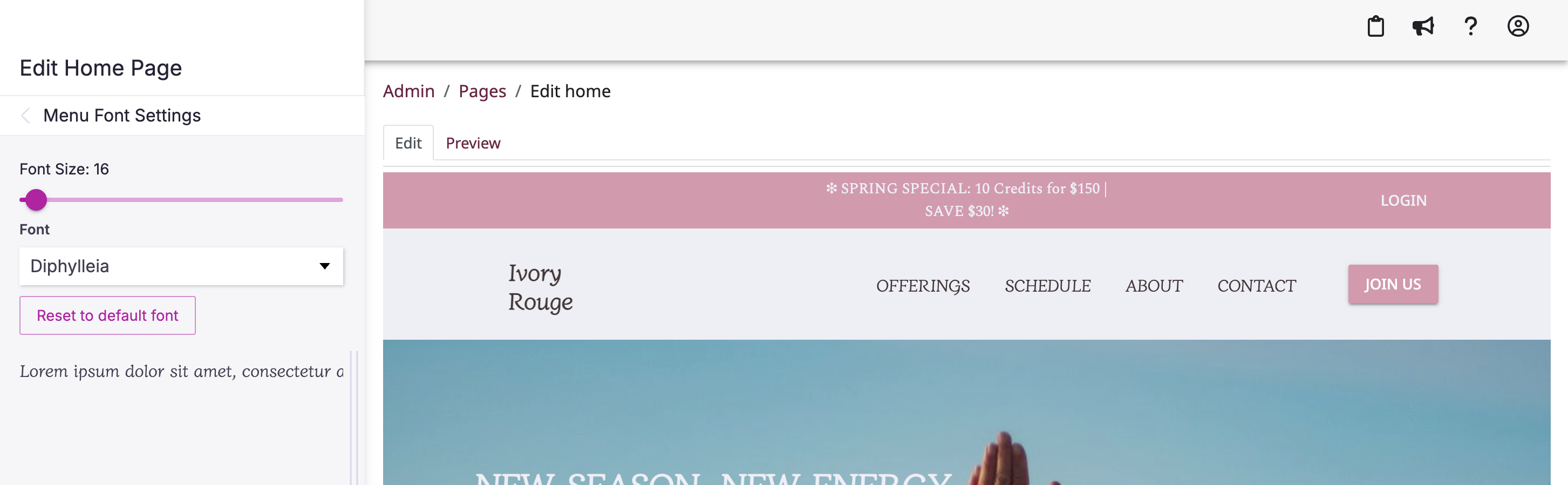
Now you can customize the font and size of the page titles in your website's top header.
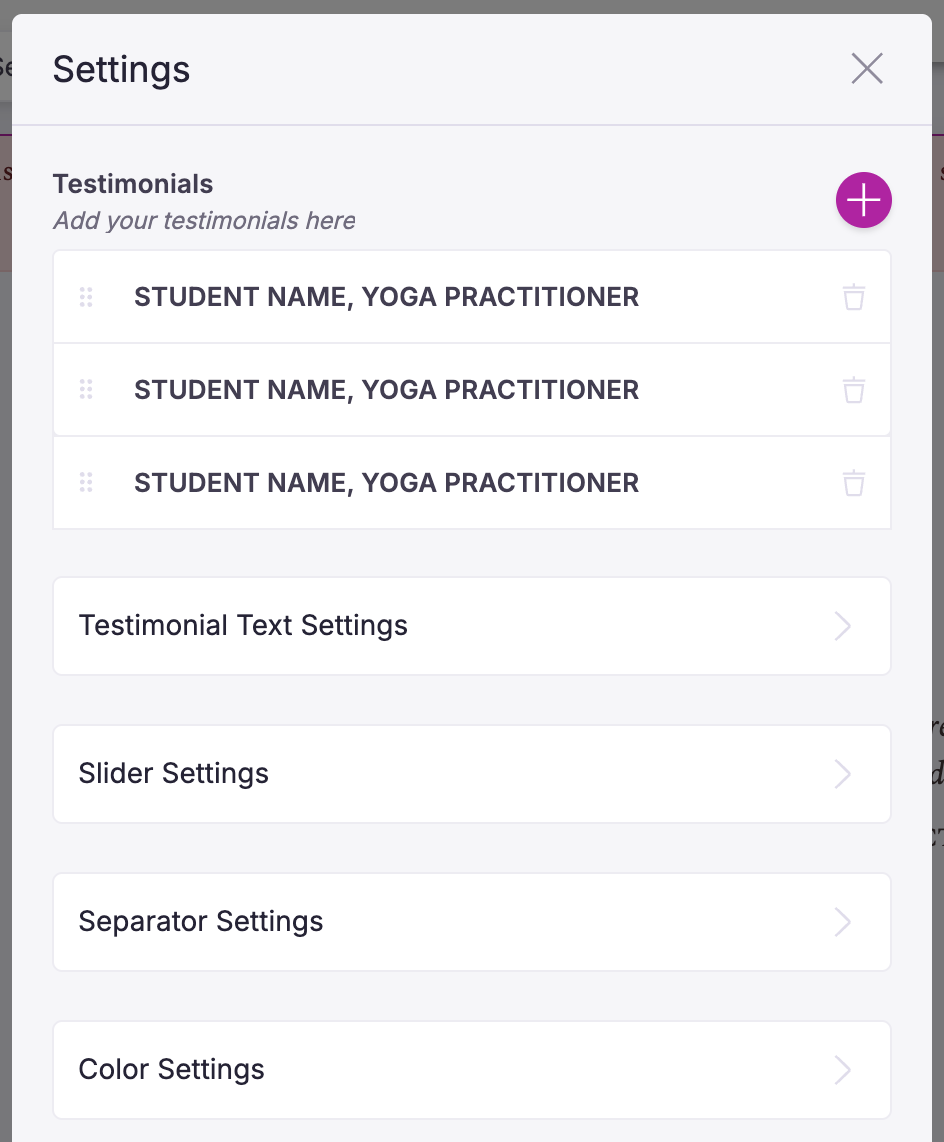
We’ve also improved the testimonial sections by allowing you to change the font and font size of the quotes and how quickly the slider transitions to the next page of quotes.
Google Calendar Sync
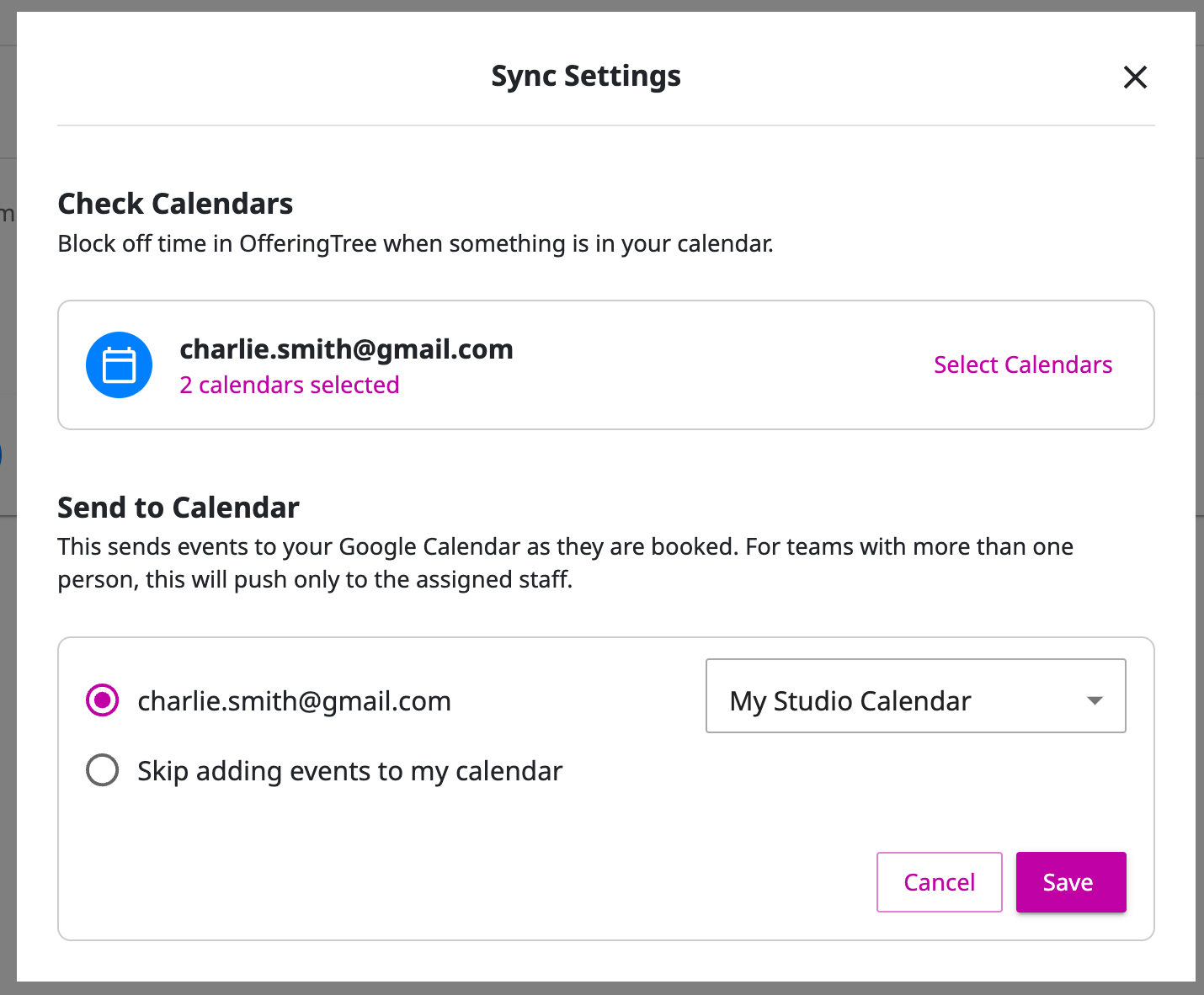
It's finally here 🎉 This two-way sync allows for automatic updates between OfferingTree and Google Calendar. Existing Google Calendar events will block time off from your appointment availability in OfferingTree, and your OfferingTree appointments, classes, and events will appear in Google Calendar. Simplify your scheduling today!
How does this impact business? Here is an example:
You have a doctors appointment, and it's on your personal Google Calendar, but you forgot to block that time off in your booking platform and you got double booked. Now with OfferingTree's new Google Calendar integration that doctors appointment in your Google Calendar automatically blocks off your availability preventing you from being double booked. 🪄
Membership Management Updates
Managing your members can be complicated and time consuming. We are always thinking of ways to make it easier and seamless to keep them, you, and your staff happy. Here are a few updates we made to give you more options to manage your members and streamline tedious tasks.
Change Memberships: Easily change a purchased membership to another membership type. For example, if someone purchased an entry level membership and they are ready to upgrade to an unlimited membership, you or your staff can do that with a few button clicks.
Apply Gift Cards: Use gift cards or in-store credit to pay for existing memberships. This provides your clients with more options to use their gift cards or in-store credit.
Temporary Pricing: Set up promotional or discounted pricing for a specific number of billing cycles on purchased memberships. For example, if you wanted to give a member a discount on a membership for 3 months you can set that up and the price will automatically go back to full price at the end of the discount period.
Updated Self Check-in Screen
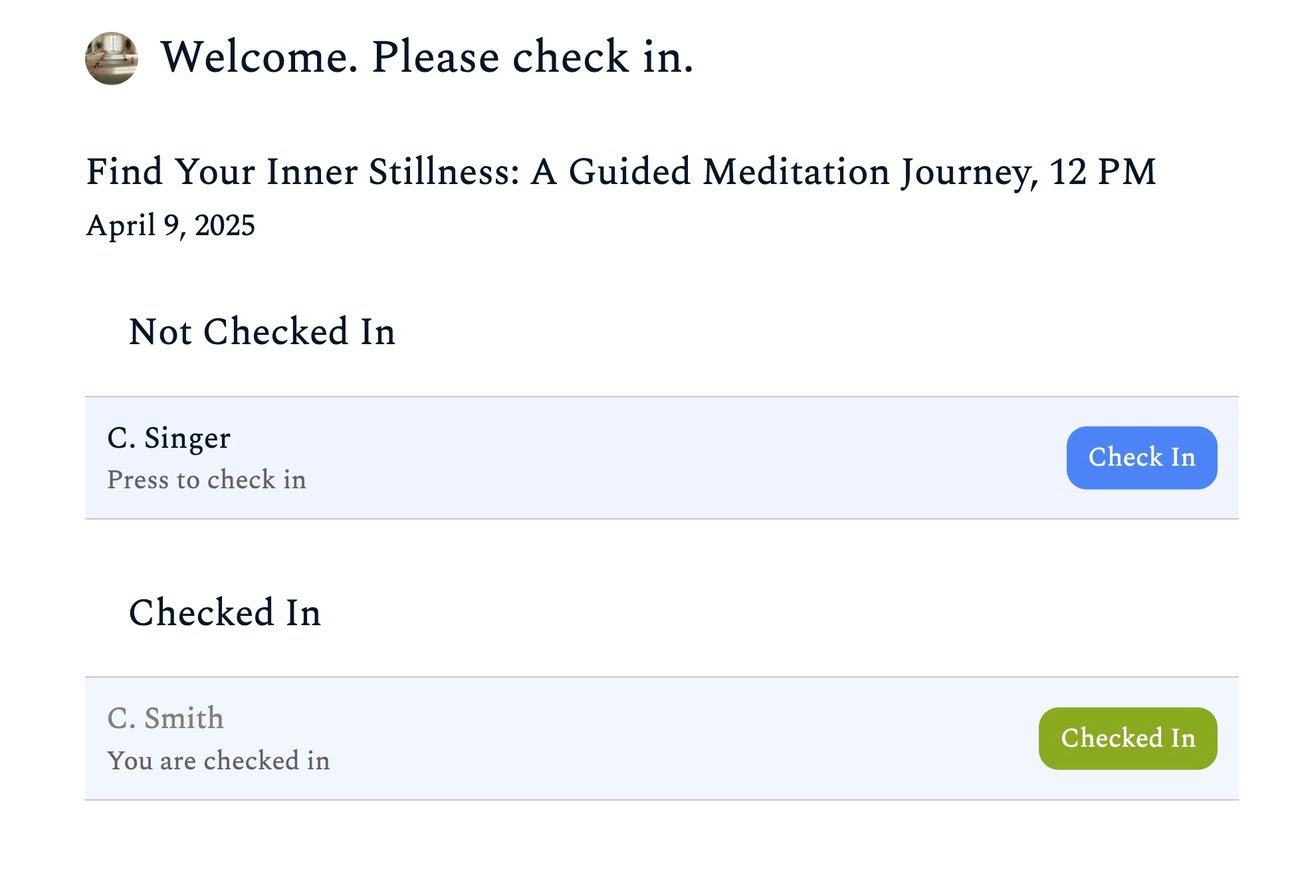
Experience our enhanced self-check-in screen for even greater ease!
Now, the system intelligently guides clients through the process. If a client hasn't yet paid for their session, they will be prompted to check in at the front desk to finalize payment.The screen will automatically progress to the next scheduled event once the current one is completed. Accessible from individual class rosters and the top admin navigation (for staff with "Check-in" permissions), enjoy a smoother and more efficient start to every class or event!
Oh and if you have staff, we added a permission so any staff member can run the self check-in screen and handle other check-in tasks.
New Staff Permissions
You asked and we delivered! Now you can have more control over what your staff members can and can't access with 3 new permissions levels.
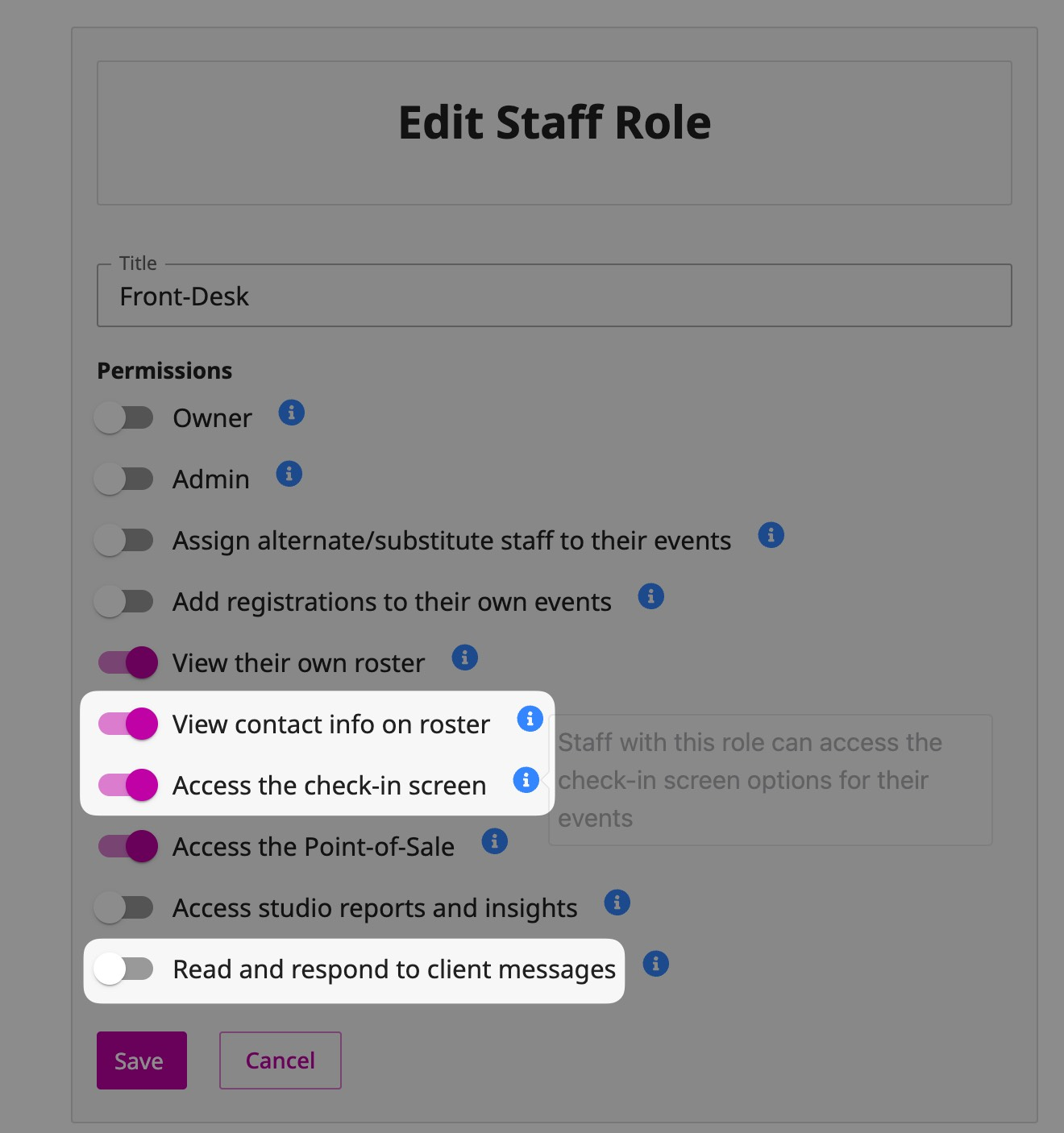
Viewing Contact Info on the Roster: Now you can hide client's contact information accessible from the Roster screen.
Access the Check-in Screen: This could be handy if you want to have a staff role that can only access the check-in screen, like a front desk worker.
Read and Respond to Client Messages: This will allow staff to receive contact form submissions, client replies to your messages, and access to the messaging inbox. There will be some exciting updates to the way you can message your clients soon!