New Features & Enhancements
See our latest platform enhancements and tools designed to help you run and grow your wellness business with ease
Enhanced Appointment Booking Flexibility
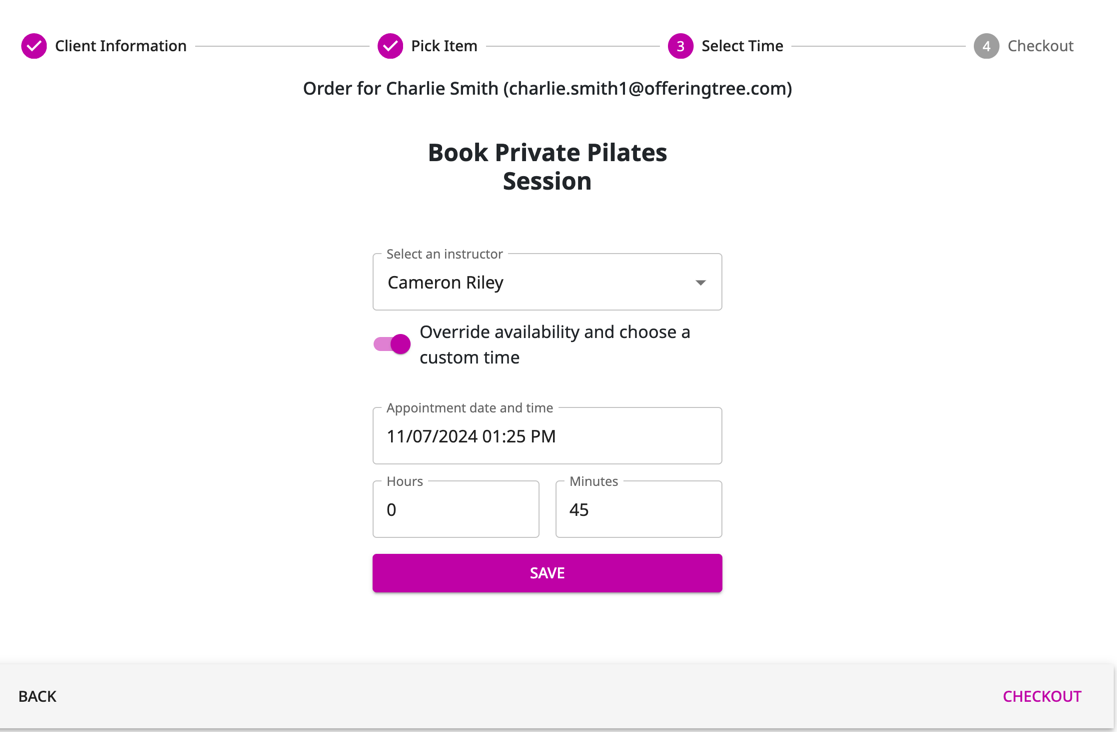
We’re excited to announce an enhancement to your scheduling toolkit: Override Appointment Times! 🎉
This update gives you greater control and flexibility by allowing you to customize appointment times directly from the Point-of-Sale (POS).
Previously, you had to fill out a form to override appointment times, but even still, that option wasn't as flexible as the POS, especially if your client wanted to use a discount code, gift card, etc.
Now, every appointment booked through your admin interface will flow seamlessly through the POS, creating a unified booking experience that’s easier to manage.
How does this impact business? Here is an example:
Picture this: You have a last-minute client booking, but the time they need doesn’t quite fit your usual schedule. With this update, you can override the standard times and set up a custom appointment right in the POS without any extra steps. It’s all about saving you time and giving you the freedom to adapt to your client's needs on the fly!
Here’s how this update helps:
Flexibility: Offer clients appointments at custom times that best fit their schedules.
Efficiency: Manage all appointments seamlessly through the POS, reducing admin work and potential for double-booking.
Control: Keep your calendar organized, with all bookings going through one unified system.
Product Variants and Inventory Tracking
(Studio + Studio Lite Plans Only)
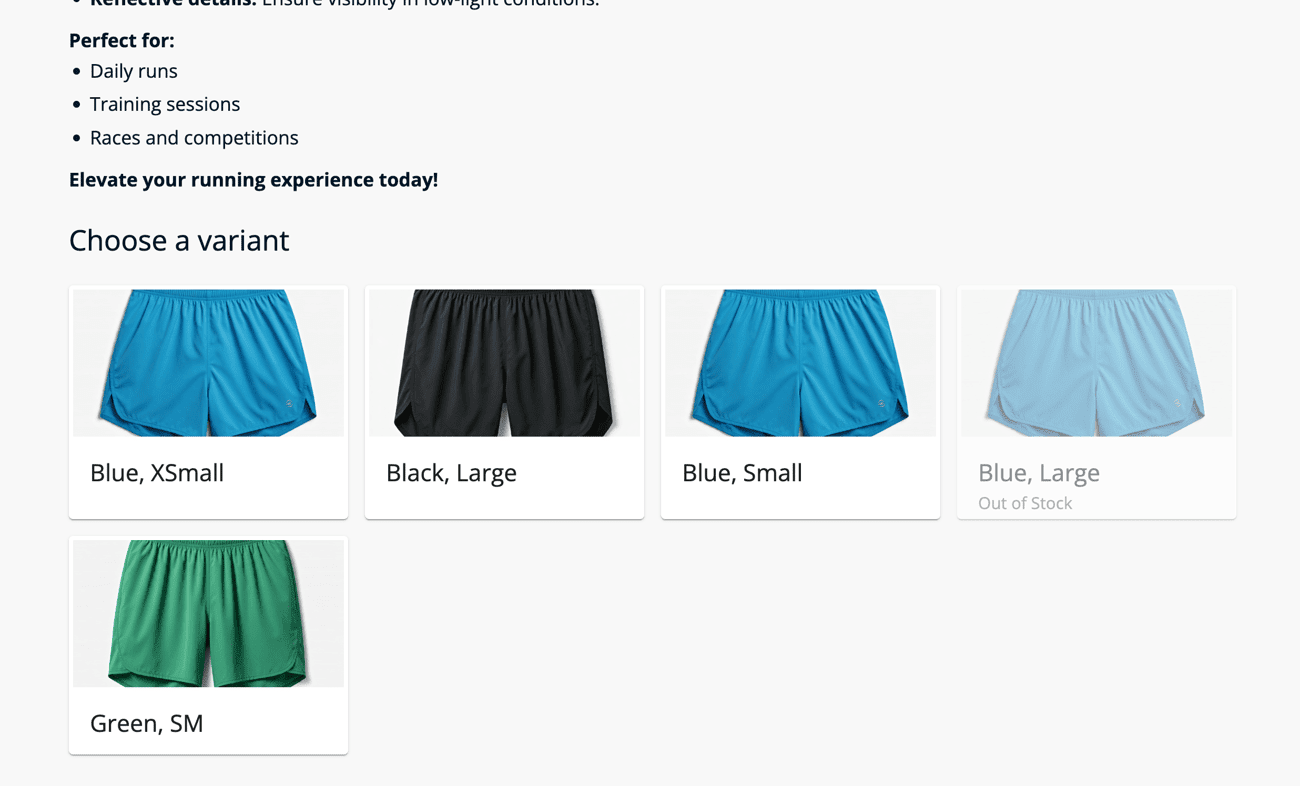
Now you have the option to track inventory for your physical goods and view inventory reports! 🙌 Additionally, you can create product variants for physical goods.
So, if you sell sweatshirts, you can now create variants for different colors and sizes, and track inventory for each variant independently.
To be clear, you can track inventory and view reports for all your physical products, not just those with variants. You may also sell water bottles, yoga mats, etc. that only come in one size and color.
How does this impact business? Here is an example:
Alex owns a pilates studio and he sells branded merchandise. Now, with the ability to track individual variants, the studio gains better insights into customer preferences and purchasing trends.
For example, if they notice that large, black sweatshirts sell out quickly while other sizes and colors have slower turnover, they can adjust their inventory and restocking accordingly. This helps prevent stockouts of popular items, ensuring they don't miss out on sales, while avoiding over-ordering items that aren't moving as fast.
Additionally, the inventory reports provide a clear view of what's available, streamlining operations and reducing manual work. This improved inventory management leads to more efficient operations, better customer satisfaction (since popular products remain in stock), and ultimately, more sales and revenue for the business.
Appointment Slot Enhancements
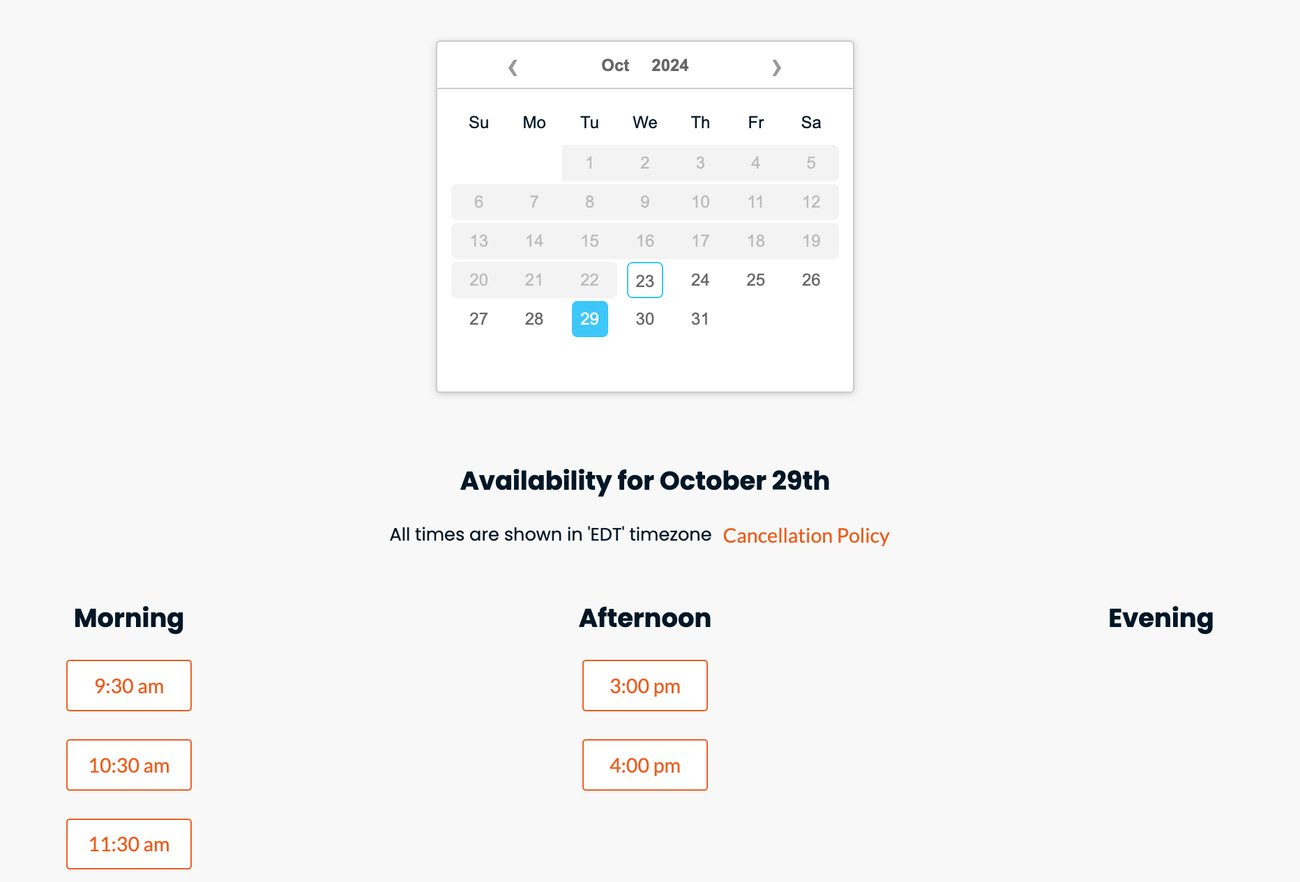
We've made a crucial improvement to the appointment slot builder for all OfferingTree users. Now, when you set your availability and your start times, you can opt to begin on the half-hour for 60-minute start time increments!
Previously, the software only allowed 60-minute start time increments to start on the hour. So, if you choose 60-minute time increments, and start at 9:30 AM, your appointments will begin at 9:30 instead of 10:00 AM.
Note that, if you use 30-minute increments, there's no change in behavior, as your appointments would have started at 9:30 AM previously.
In a couple of months we'll be making even more improvements to appointments to make the most of your time and include time between appointments for setup/clean up. We'll keep you posted 😊
How does this impact business? Here is an example:
Jasmine is a wellness coach who typically offers 60-minute sessions and has a busy schedule. Before the update, she could only start appointments on the hour, limiting her ability to offer convenient time slots for clients and possibly losing bookings due to time constraints.
Now, Jasmine can be more flexible with her availability, which means more bookings and more revenue.
Centralized Business Information
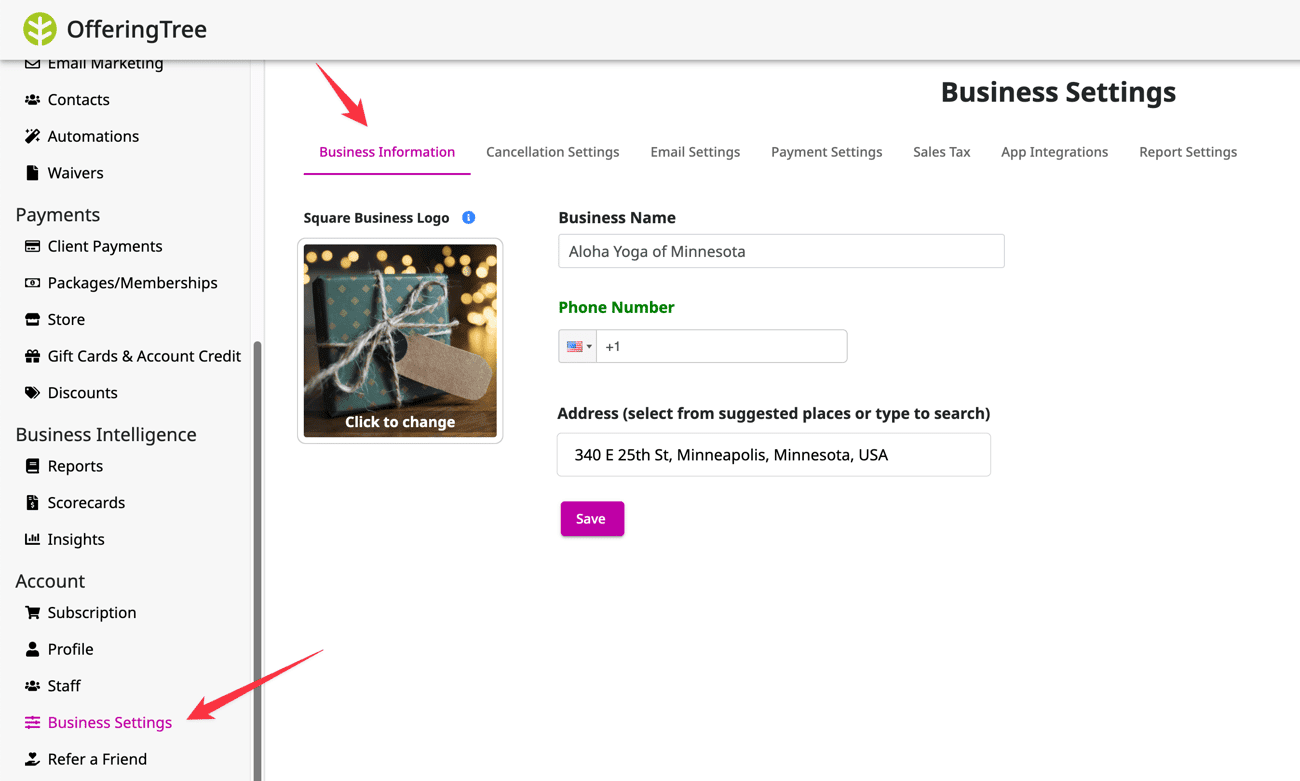
We created a new tab in the 'Business Settings' section of the software where you can set your business information and logo, which will be reflected across your site and in the mobile app, so it's critically important to complete this section.
Previously, your business information lived in a few different places. Now it's conveniently centralized!
How does this impact business? Here is an example:
Emma, the owner of a meditation studio, recently moved to a new location. Now, instead of going multiple places to update her information, she can easily update these details one time and see that reflected across her site and the mobile app.
Clients Can View Their Registrations on the Mobile App
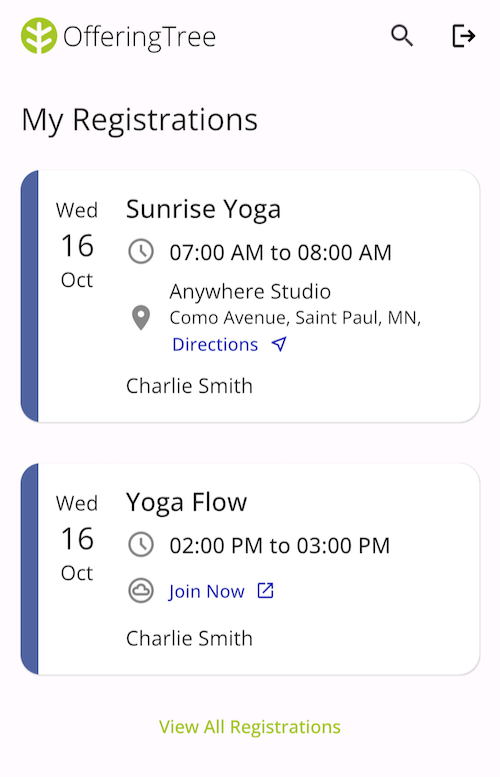
Now your clients can see their current and past registrations on the mobile app! We have more updates here coming soon - like cancellations.
How does this impact you and your clients? Here is an example:
Sarah, a wellness coach using OfferingTree, now spends less time answering booking-related questions. Her clients feel more in control of their wellness journey, staying motivated by seeing their progress.
New Attributes in Conditions Builder for Segments + Automations
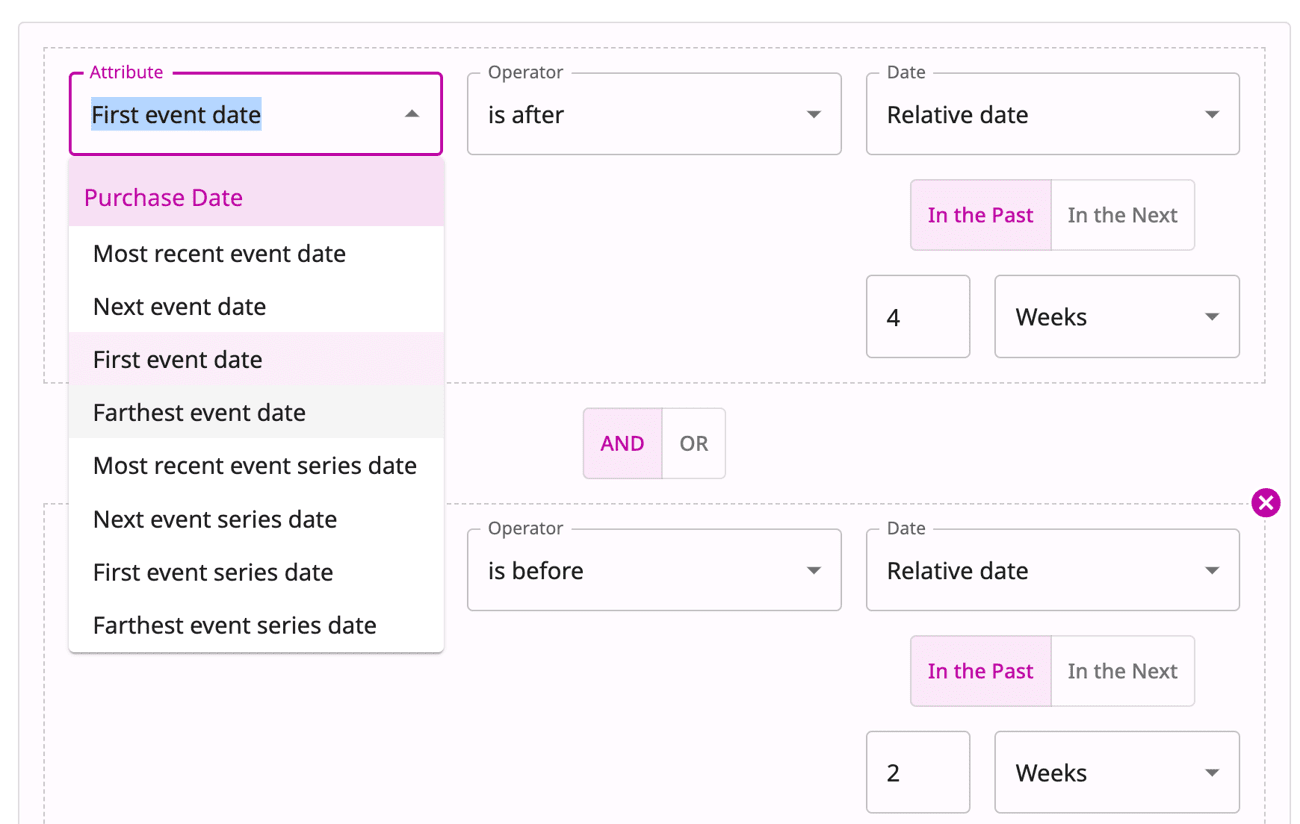
We've added a wider range of attributes to chose from when customizing your segments and automations! Here's a complete list of new options:
• First/Farthest event date
• First/Farthest event series date
• First/Farthest appointment date
• First package/membership purchase date
To learn how to build customer segments, please see this help article.
Here is an example of how these new conditions work:
The first event date is the earliest event in the past that a client registered for; the farthest event is the last one in the future they have registered for.
Assuming that today is Oct 10th, and if I registered for classes on Sep 1st, Sep 5th, Oct 1st, and Nov 1st, here is what the attributes would be:
- First event date is Sep 1
- Farthest event date is Nov 1st
- Most recent event date is Oct 1st
If I registered for classes on Sep 1st, Sep 5th, and Oct 1st, the attributes would be:
- First event date is Sep 1st
- Farthest event date is empty
- Most recent event date is Oct 1st
How does this impact business? Here is an example:
Lindsay, a fitness studio owner, uses OfferingTree’s new segmentation options to create highly targeted automations for her clients. With the added attributes, she can now set up automations based on key client behaviors.
For example, if a client hasn’t booked an appointment since their first one six months ago, Lindsay can automatically send a “We Miss You” email with a special offer. These advanced segmentation options help Lindsay tailor her marketing efforts, increase client engagement, and improve retention without added manual effort.
Improved Flexibility to Adding Registrations
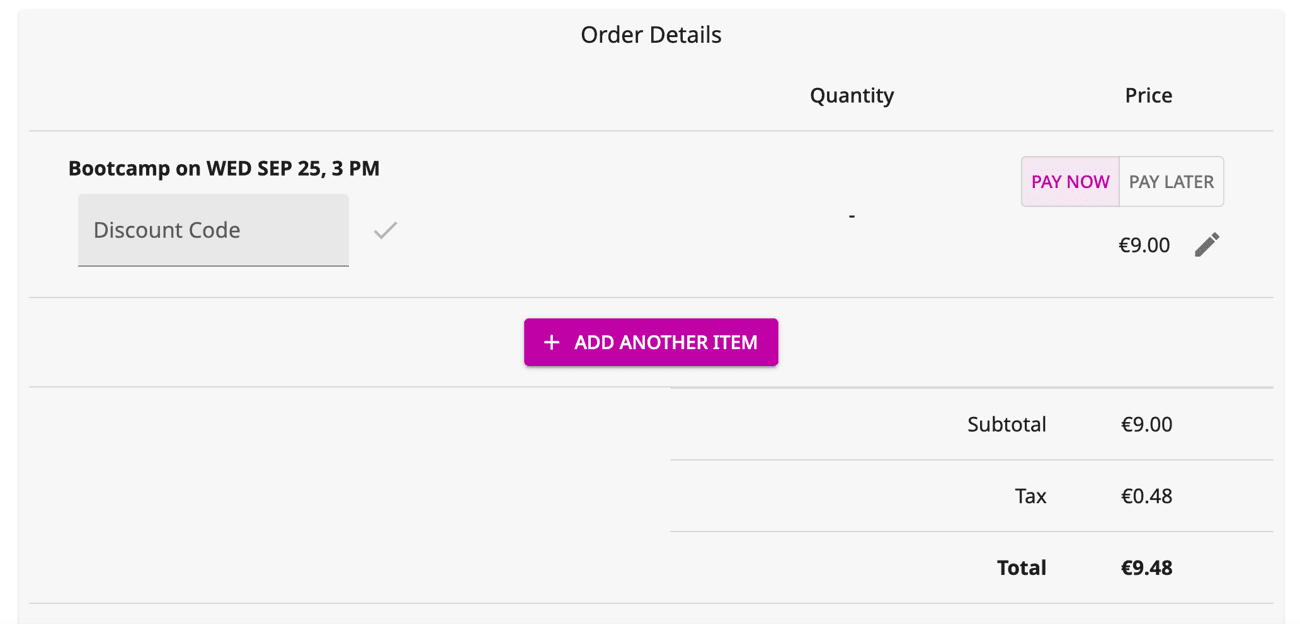
We’ve made it even easier to add students to your classes with our new and improved admin page. Now, thanks to our flexible Point-of-Sale system, you can quickly register new students and choose from different payment options like cash, credit cards, checks, and more—whatever works best for them!
Plus, you can sign up clients for multiple classes in one go, so no more juggling separate transactions. It’s all about making your life simpler and helping you manage your business with ease.
How does this impact business? Here is an example:
A small yoga studio owner, Julie, hosts both drop-in and multi-week class series. With such a busy schedule, she needs a way to quickly register students who walk into the studio, especially when signing clients up for more than one class.
Thanks to the integration of OfferingTree’s Point-of-Sale system, Julie can now easily register students right from their admin page without missing a beat. For example, when a new student, Emma, comes in to register for both a beginner’s yoga class and a special weekend workshop, Julie can add Emma to both events in one transaction, selecting her preferred payment method – whether that’s cash, credit card, or check.
This not only simplifies the process for Julie but also creates a seamless experience for Emma, who’s able to register and pay for multiple classes quickly and conveniently. Plus, Julie can easily track all of her payments in one place, whether it’s for single classes or packages.
Improved Digital Store Content Builder
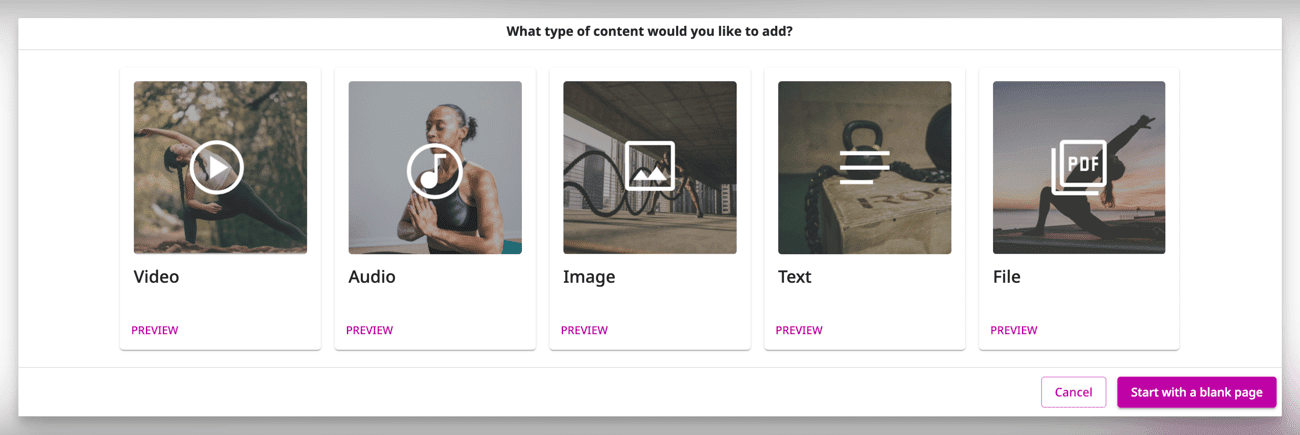
We’re so excited to introduce our new store content builder! It’s like having the customization and flexibility of our website page builder, but now for your online store.
No more just uploading files and calling it a day – now you can create beautiful, engaging store content pages with all kinds of rich content elements. Whether it’s adding videos, building a full-fledged course, or eye-catching sections, you'll have everything you need to make your store shine.
This update is all about giving you more control and creativity when it comes to presenting offerings.
How does this impact business? Here is an example:
A wellness coach specializing in mindfulness and meditation sells digital resources like guided meditation audio files, eBooks, and wellness journaling prompts. With the new store content builder, they can go beyond simply listing products for sale.
They can create engaging product pages that offer more context, showcase the value, and tell a story, transforming the store into an immersive experience, increasing customer engagement, and boosting sales by highlighting the unique value of their offerings.
Change the Price of an Existing Membership
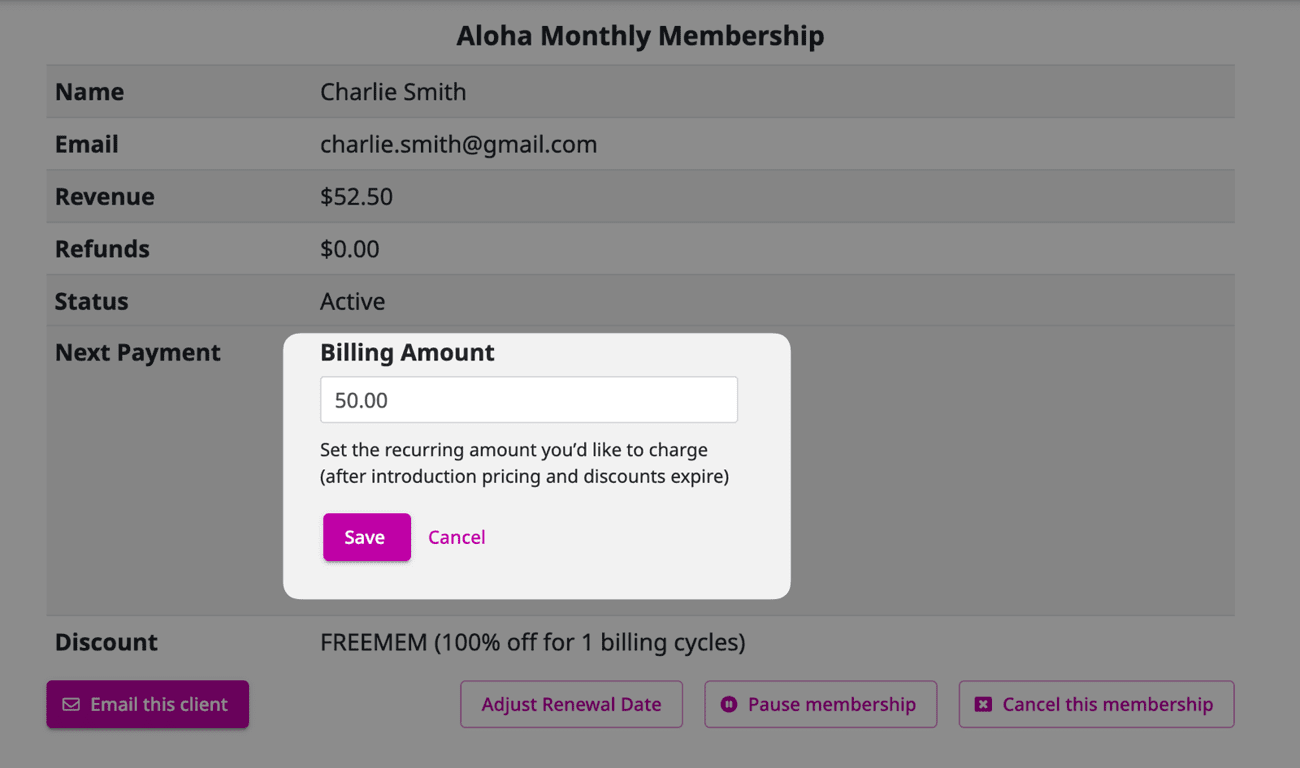
We've made it easier than ever to customize pricing for your members! You can adjust the recurring billing amount for specific memberships, making sure each client pays exactly what you want them to.
And don't worry—any existing discounts will automatically apply to the new price, so everything stays smooth and personalized for your clients.
What does this look like in practice? Here is an example:
Let’s say you have a long-time member who’s been with you since the beginning, and you want to offer them a special loyalty rate on their membership. With this update, you can easily adjust their recurring billing amount to reflect the loyalty discount you’ve decided on.
The system will automatically apply any existing discounts to this new rate, so you don’t have to worry about any manual adjustments.
Add Tags to Contacts Directly From Your Lead Generator
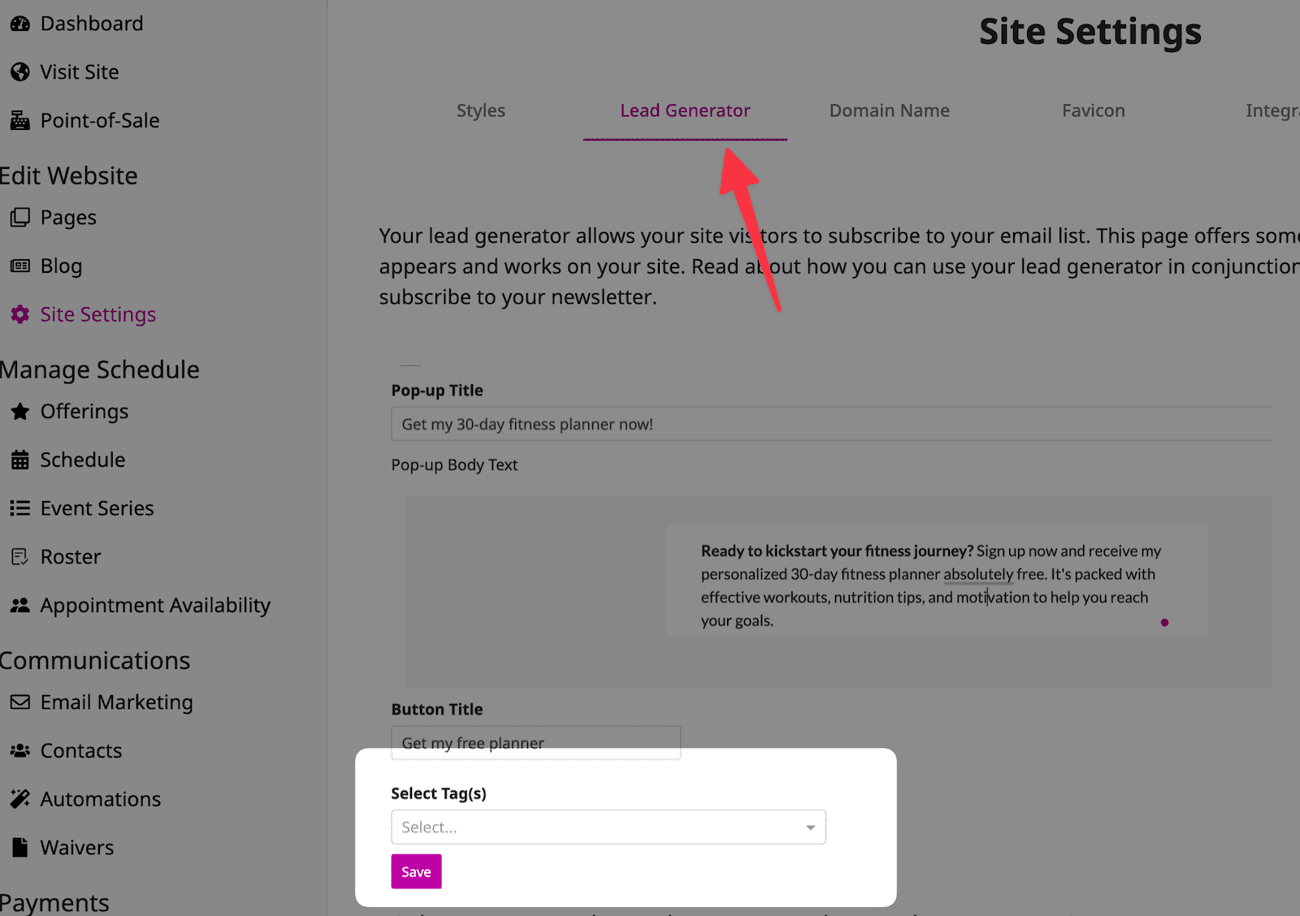
Now, when someone signs up for your lead generator, you can automatically tag them—no extra steps needed. Before, this was only possible through a custom page, but now you can do it directly on the lead generator.
This makes it super easy to segment your contacts or kick off an automation right when they sign up.
What does this look like in practice? Here is an example:
Imagine you're running a free eBook download as a lead generator. With this new feature, you can automatically tag anyone who signs up to receive the eBook with a 'Free eBook' tag.
From there, you could easily segment these contacts to send them targeted follow-up emails, like a special offer related to the eBook topic.
Or, you could set up an automation that triggers as soon as they sign up, guiding them through a personalized welcome sequence.