New Features & Enhancements
See our latest platform enhancements and tools designed to help you run and grow your wellness business with ease
Add Tags to Contacts Directly From Your Lead Generator
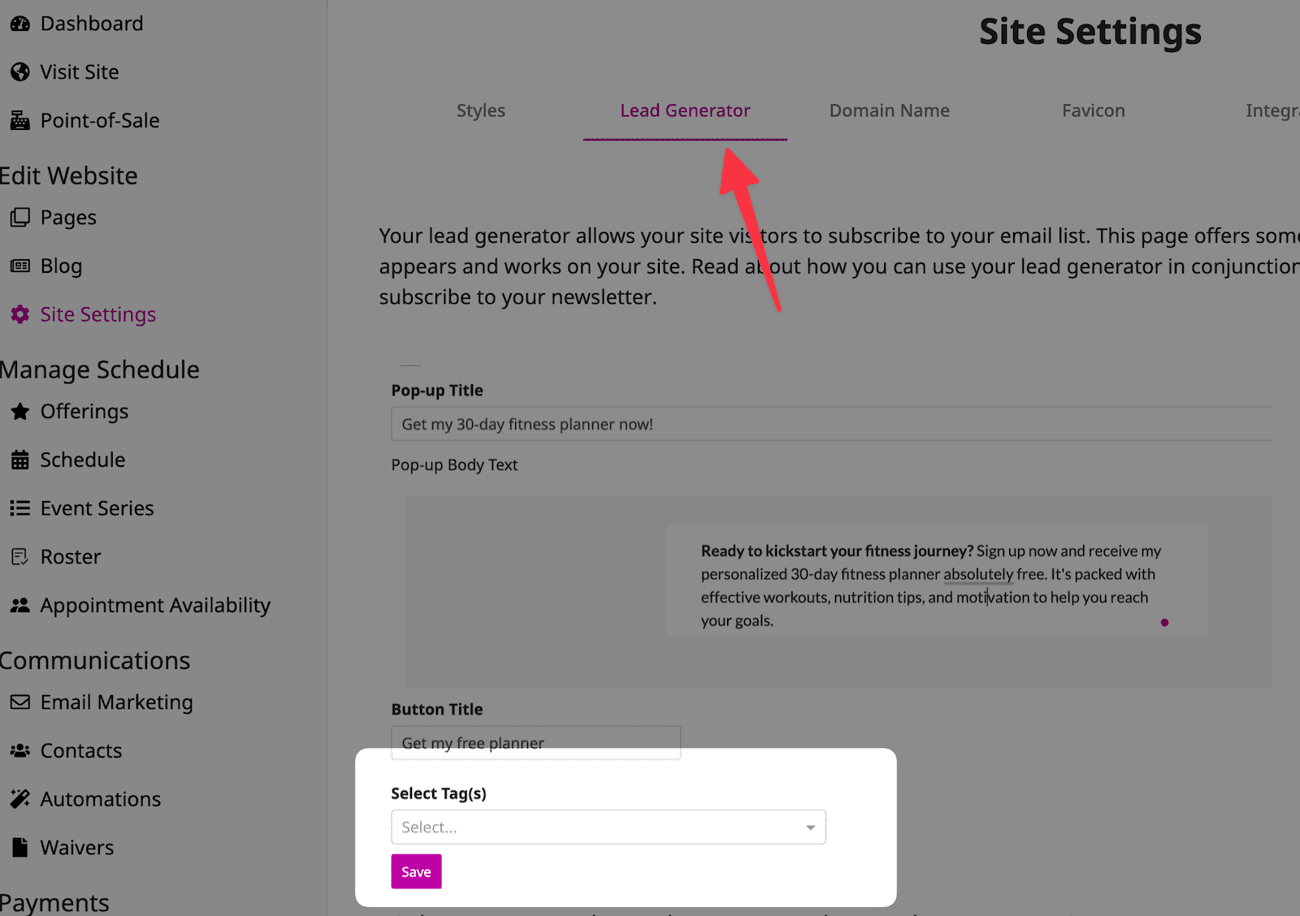
Now, when someone signs up for your lead generator, you can automatically tag them—no extra steps needed. Before, this was only possible through a custom page, but now you can do it directly on the lead generator.
This makes it super easy to segment your contacts or kick off an automation right when they sign up.
What does this look like in practice? Here is an example:
Imagine you're running a free eBook download as a lead generator. With this new feature, you can automatically tag anyone who signs up to receive the eBook with a 'Free eBook' tag.
From there, you could easily segment these contacts to send them targeted follow-up emails, like a special offer related to the eBook topic.
Or, you could set up an automation that triggers as soon as they sign up, guiding them through a personalized welcome sequence.
Add Mobile App Links to Footer of Site
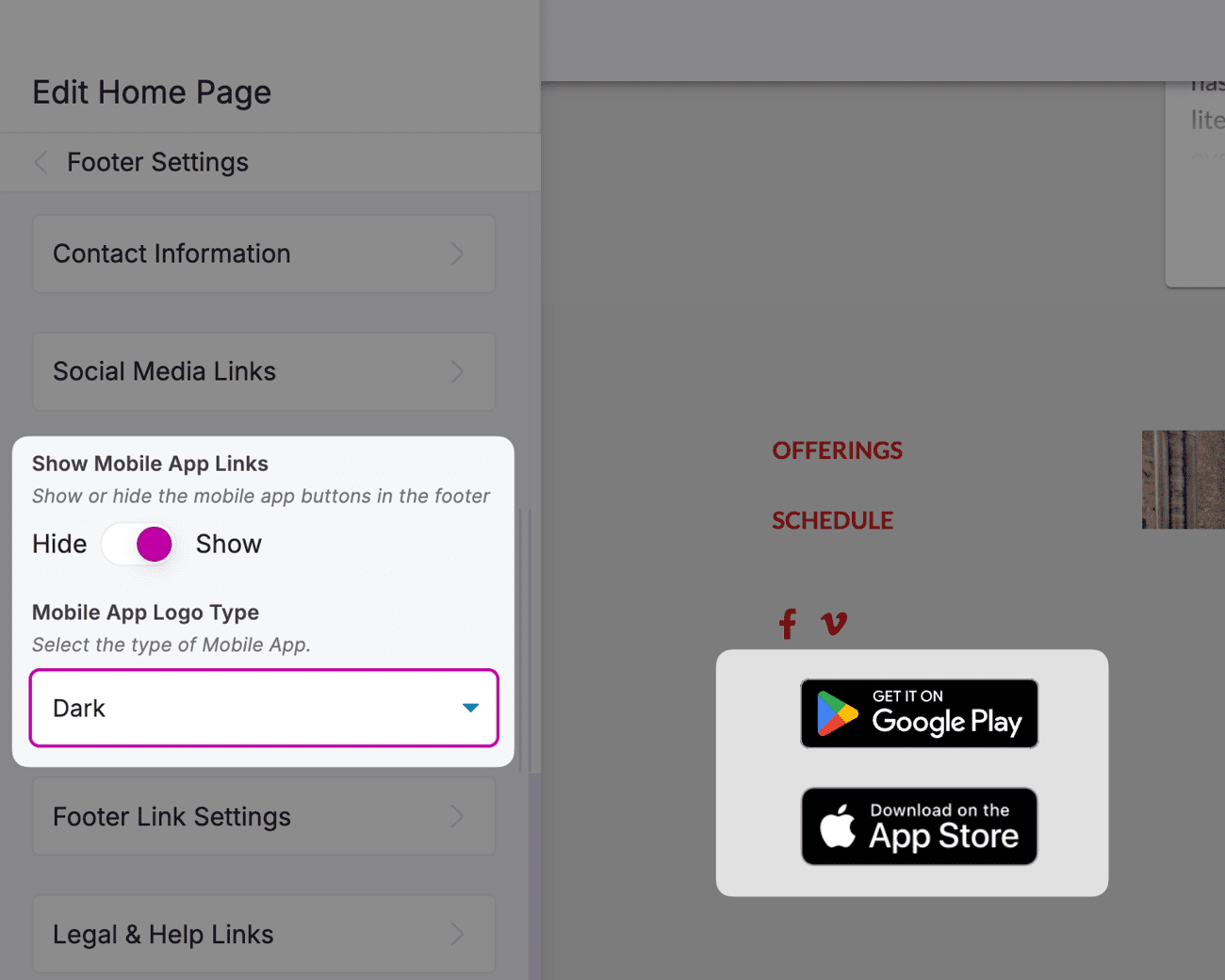
You can now add links to the OfferingTree mobile app right in the footer of your website. It’s a super convenient way for your clients to download and access the app whenever they need it!
Copy and Paste Sections Between Pages
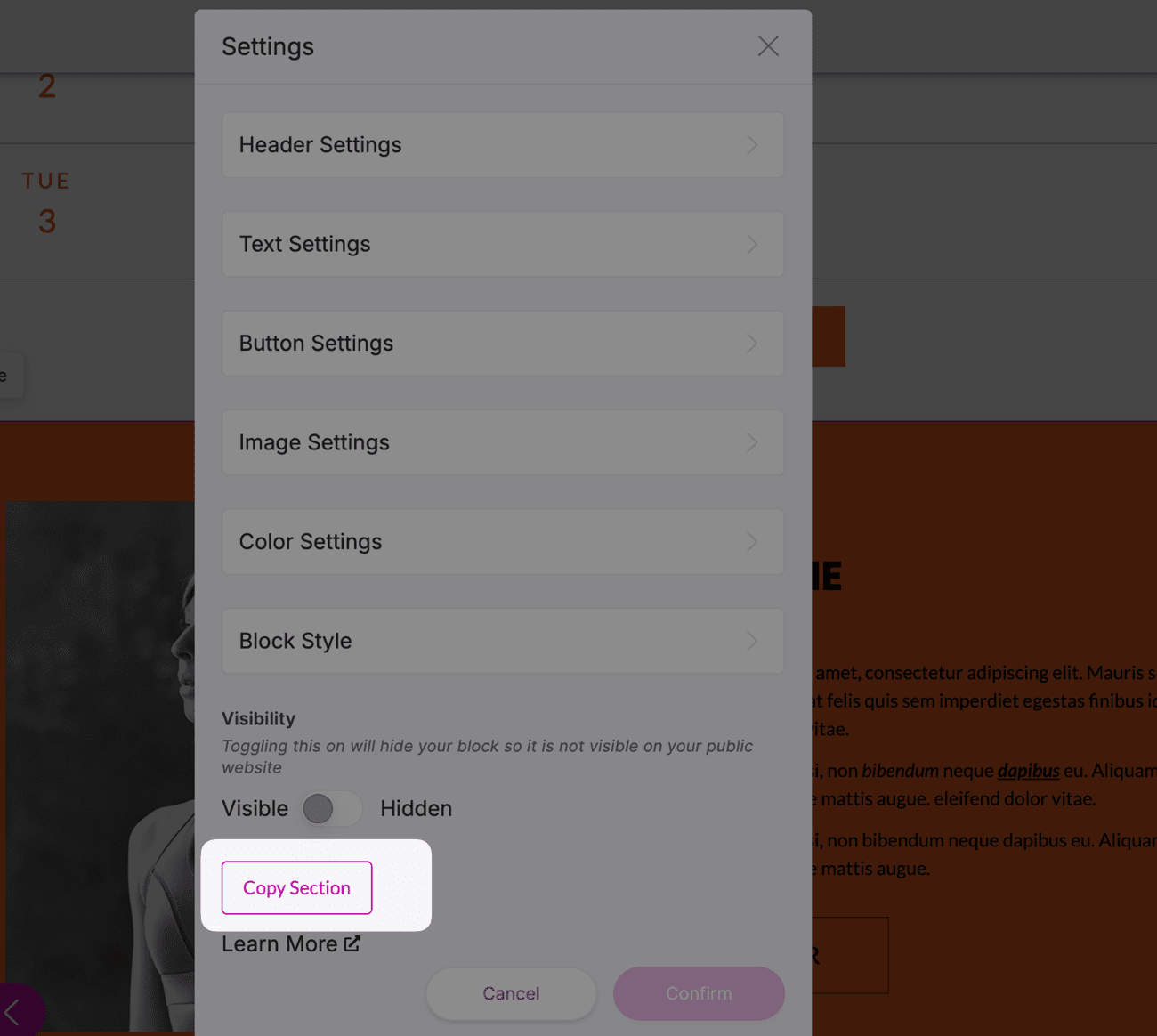
You used to have to copy and paste individual blocks one by one between your custom pages, but now you can copy entire sections all at once.
This makes it so much easier to create consistent, visually appealing content across multiple pages.
How does this look in practice? Here is an example:
Imagine you're designing a series of landing pages for different services, and you want them to have a consistent look and feel. With this new feature, you can easily copy an entire section—like a beautifully designed testimonial or a call-to-action—from one page and paste it onto the others.
This saves you from having to rebuild the section from scratch each time, making the process faster and ensuring that your pages have a cohesive design.