
Give your team the access, information, and tools they need
OfferingTree makes it easy to add staff, set the right permissions for each role, and automatically calculate compensation, so your team can run independently and your clients always feel taken care of.
Get Started.avif)
.avif)

Everything your team needs, and nothing they don't
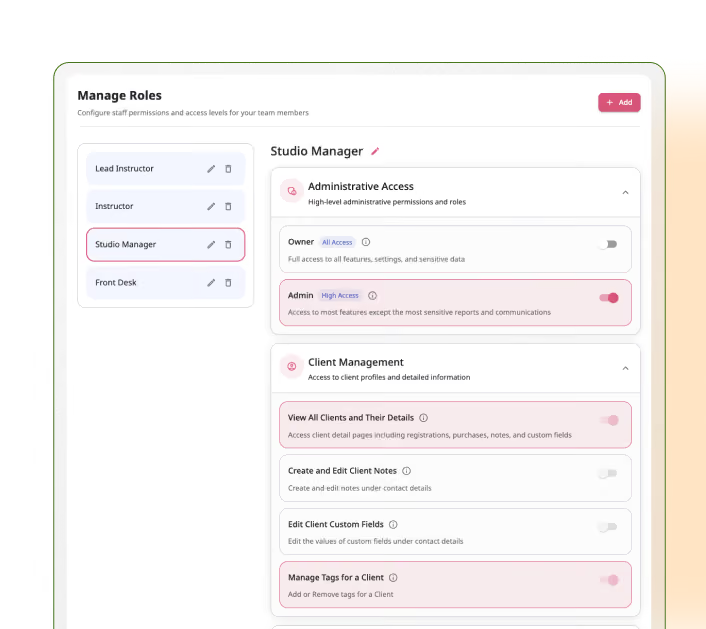
Custom roles and permissions
Invite staff and assign them a role, whether teacher, front desk, or manager, with exactly the level of access that makes sense for their responsibilities. Sensitive business data stays protected, and each person sees what they actually need to do their job.
.avif)
.avif)
.avif)
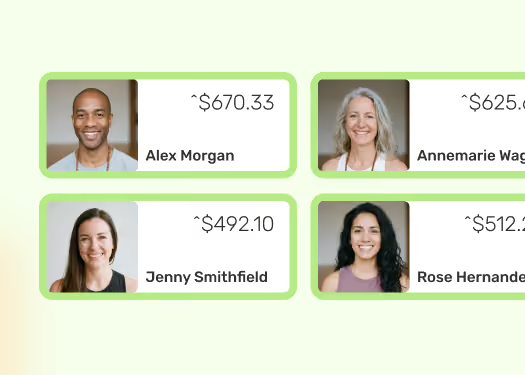
Pay reports that do the math for you
At the end of each pay period, OfferingTree calculates how much each staff member has earned based on your compensation model. Whether you pay per class, per head, on commission, or by hourly rate, the report handles it so you're not spending an hour with a spreadsheet every two weeks.

.avif)
.avif)
Client context at the right moment
Roster badges surface key information at check-in, including first visit, upcoming milestone, and unsigned waiver, so your staff can acknowledge what matters without being briefed in advance. Small moments of recognition go a long way toward building the kind of community that keeps people coming back.
.avif)

Keep your team in the loop
When a client's behavior triggers a follow-up, OfferingTree can notify the right staff member automatically so no one falls through the cracks. Your team knows who to reach out to and when, even when the studio is busy and things are moving fast.
.avif)

Studio owners whose teams love OfferingTree
Our customers are the real heroes of OfferingTree
.svg)
.svg)
.avif)
Staff management that puts you in the driver's seat
.avif)
Staff invitations
Add team members with a simple invitation. They create their own account and get access immediately.
Staff invitations
Add team members with a simple invitation. They create their own account and get access immediately.
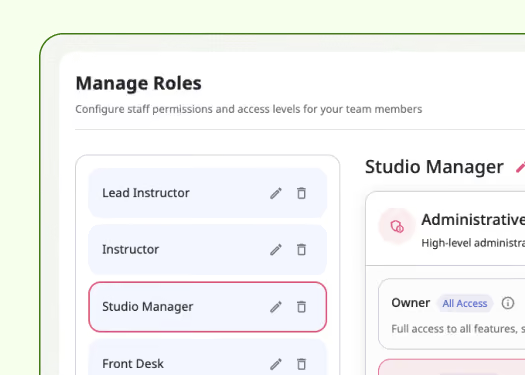
Role-based access
Build and assign roles for teachers, front desk, and managers, or customize permissions to match exactly how your studio operates.
Role-based access
Build and assign roles for teachers, front desk, and managers, or customize permissions to match exactly how your studio operates.
Pay report templates
OfferingTree supports most compensation models, including per class, per head, commission, and flat rate, so your pay reports reflect how you actually pay your team.
Pay report templates
OfferingTree supports most compensation models, including per class, per head, commission, and flat rate, so your pay reports reflect how you actually pay your team.
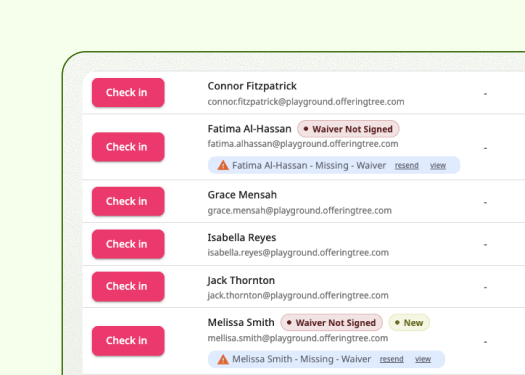
Roster and check-in tools
Manage class attendance, track who's checked in, and see client flags all from a single view during a live class.
Roster and check-in tools
Manage class attendance, track who's checked in, and see client flags all from a single view during a live class.
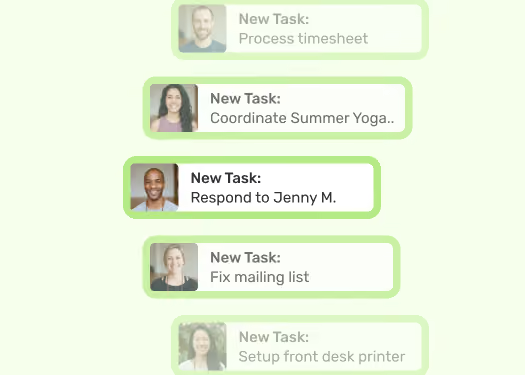
Staff-specific automations
Route client follow-up tasks to specific staff members automatically based on client behavior or booking activity.
Staff-specific automations
Route client follow-up tasks to specific staff members automatically based on client behavior or booking activity.
.avif)
Point-of-sale access
Front desk staff can register clients, apply memberships, and take payments in person directly from OfferingTree.
Point-of-sale access
Front desk staff can register clients, apply memberships, and take payments in person directly from OfferingTree.
See how it works for your type of studio
Questions we hear a lot
Can I control exactly what each staff member can see and do?
How do pay reports work?
What compensation models does OfferingTree support?
How long does it take to onboard a new staff member?
Can staff members process payments at the front desk?
Can OfferingTree notify specific staff members when a client needs a follow-up?
Happy staff means happy clients, and OfferingTree helps manage both
Start a free trial and see how easy it is to get your staff set up, permissions dialed in, and pay reports running. No tech background required, and our support team is here to help you every step of the way.
Start Free Trial